Install PurffleGrab
Get the installer for Windows, Mac or Linux and sign in with your email.
Purffle / PurffleGrab / Guides / Download a channel automatically
Follow a channel or playlist once and every new upload lands in its own folder — as video or MP3 — without you checking back. Here's how it works, what it costs, and the do-it-yourself route.
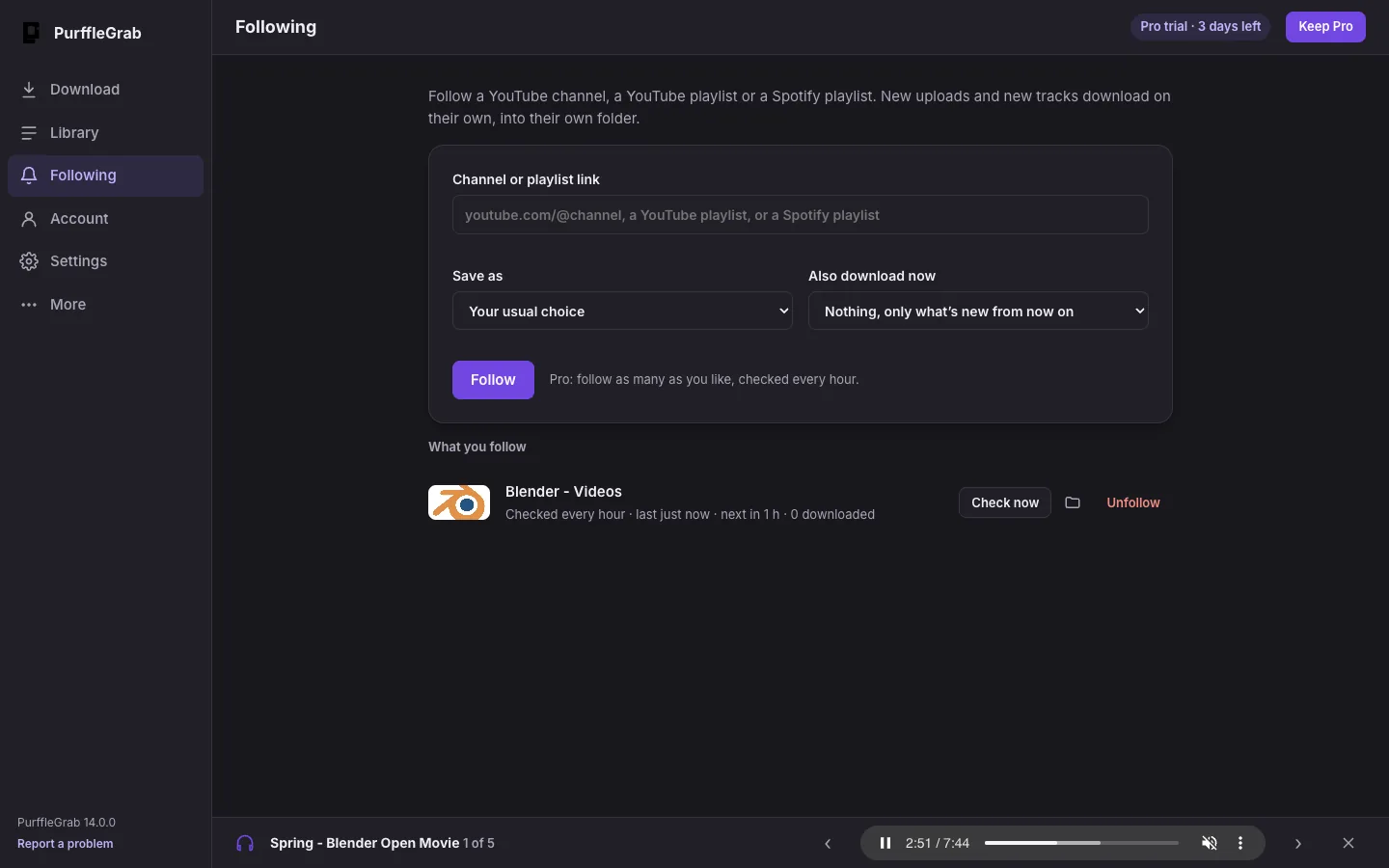
Follow a YouTube channel, a YouTube playlist or a Spotify playlist, and PurffleGrab checks it on a schedule. Anything added after you followed it downloads on its own — in the format you chose, into its own folder — and you get a notification. Videos that were already there are left alone, unless you ask for the latest few.
| Free | Pro | |
|---|---|---|
| Follows | 1 | As many as you like |
| Checked | Once a day | Every hour |
| New items | Count toward your 67 a month | Unlimited |
If a Pro pass ends, your oldest follow keeps running on Free and the rest pause with a Pro badge. Nothing is deleted.
Get the installer for Windows, Mac or Linux and sign in with your email.
Click Following in the sidebar and paste a channel link (youtube.com/@name), a playlist link, or a Spotify playlist link.
Pick Audio (MP3, FLAC…), Video, or your usual defaults. Under Also download now, choose nothing, or the latest 3, 5 or 10.
Checks run while PurffleGrab is open. Closing the window keeps it in the tray (menu bar on Mac), and Settings → Open PurffleGrab when the computer starts keeps it going after a restart. Check now runs a check on demand.
If you'd rather script it, yt-dlp (the open-source engine inside PurffleGrab) can do this too. Its download archive remembers what's been fetched, so running the same command again only gets new videos:
Schedule that with cron, launchd or Task Scheduler and you have a free, unlimited version. PurffleGrab's Follow is the same idea with no setup: a list you can see, per-follow formats and folders, notifications, retries, and Spotify playlists.
It needs PurffleGrab running, but not its window — closing the window with follows active keeps it in the tray. Quit it from the tray and checks stop until you open it again.
It's retried on the next checks. After a few failures in a row it's skipped so one bad video can't block the rest, and the error shows on the follow.
New items wait, still marked as new, and download once your count resets — or right away with a Pro pass.
Playlists only for Spotify. Albums don't change, and artist pages aren't supported yet.
No. Unfollow only stops future checks; everything already downloaded stays where it is.
Following is ideal for your own channel, Creative Commons creators, podcasts and lectures you're allowed to keep offline. Downloading generally breaches YouTube's terms of service, and you're responsible for how you use it.