Free & open source · v1.30.0 · Windows · macOS · Linux

Use multiple Claude accounts
in one desktop app

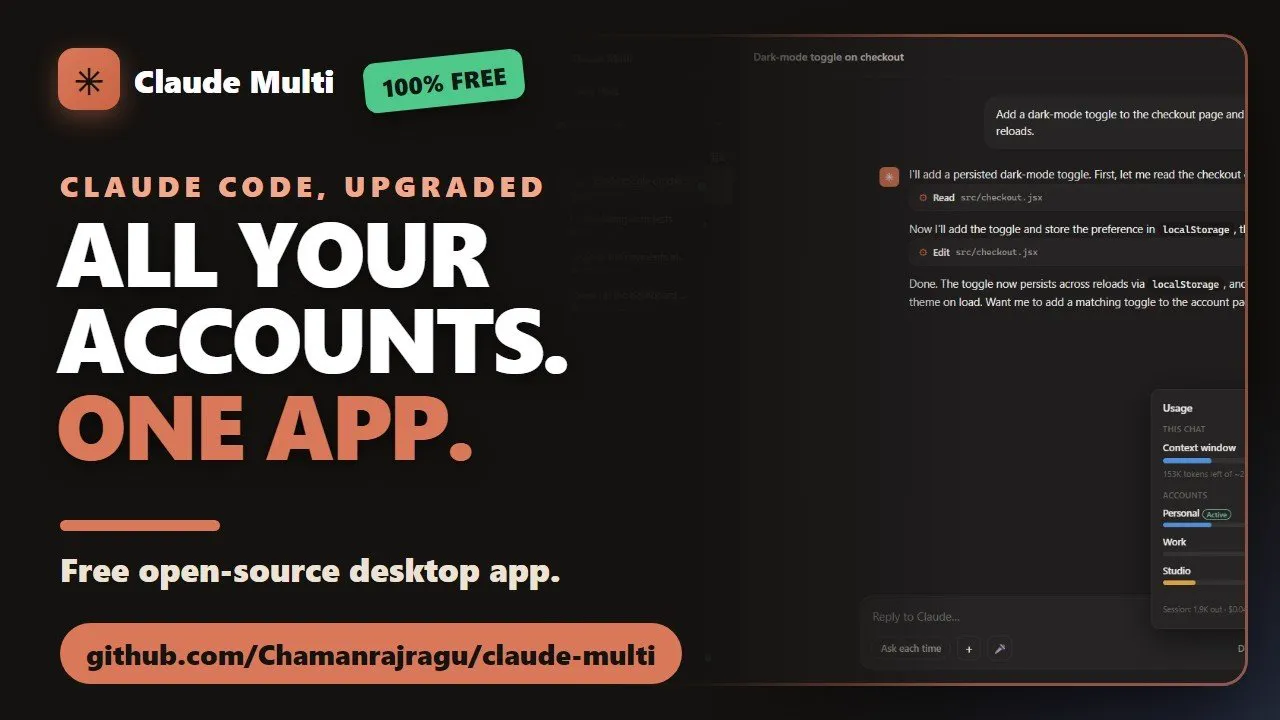
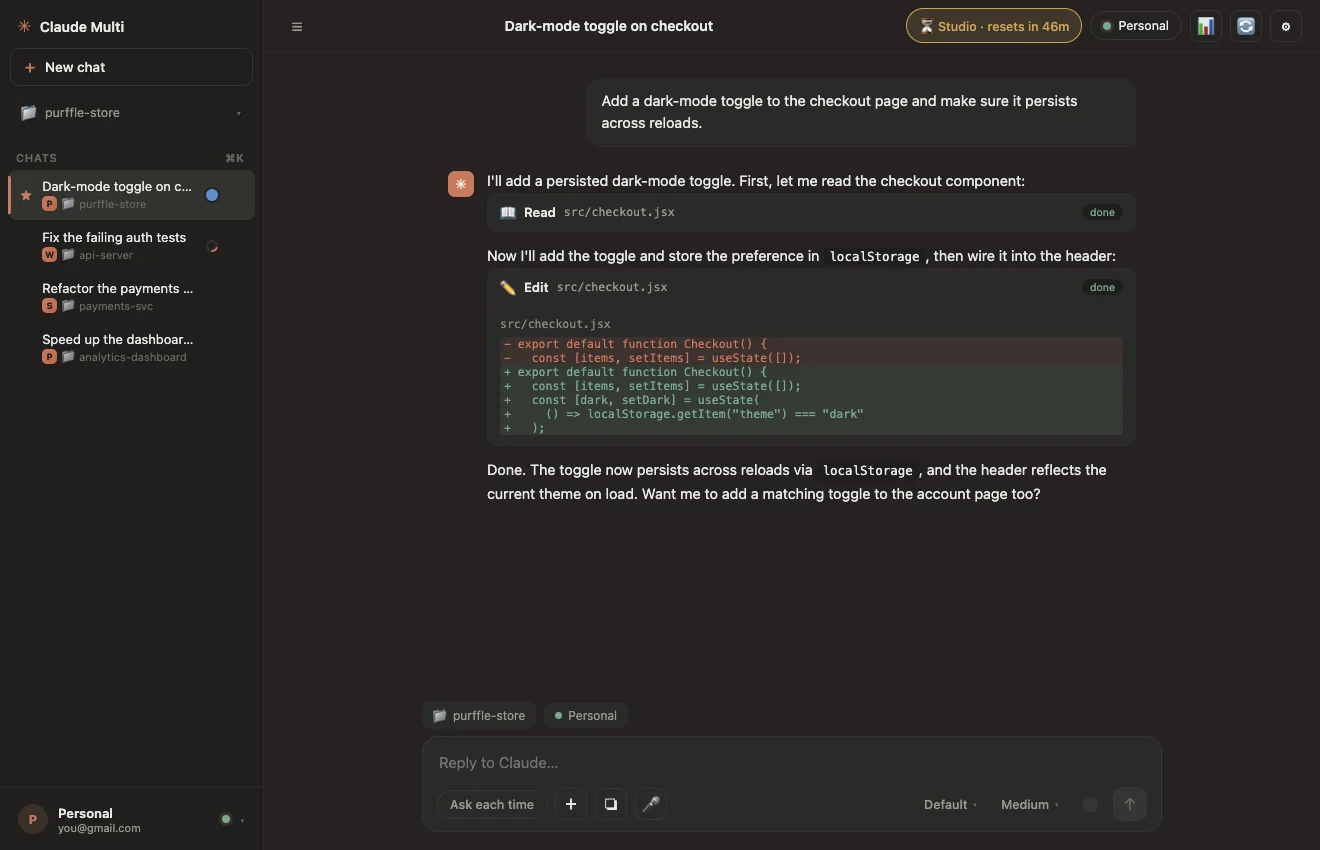
Claude Multi lets you run two or more Claude accounts side by side and auto-switches the moment one hits its usage limit — so your task never stops. No API key. 100% private.

⬇ Download for Free See how it works
No API key — uses your subscription Zero telemetry Up to 20 accounts MIT licensed
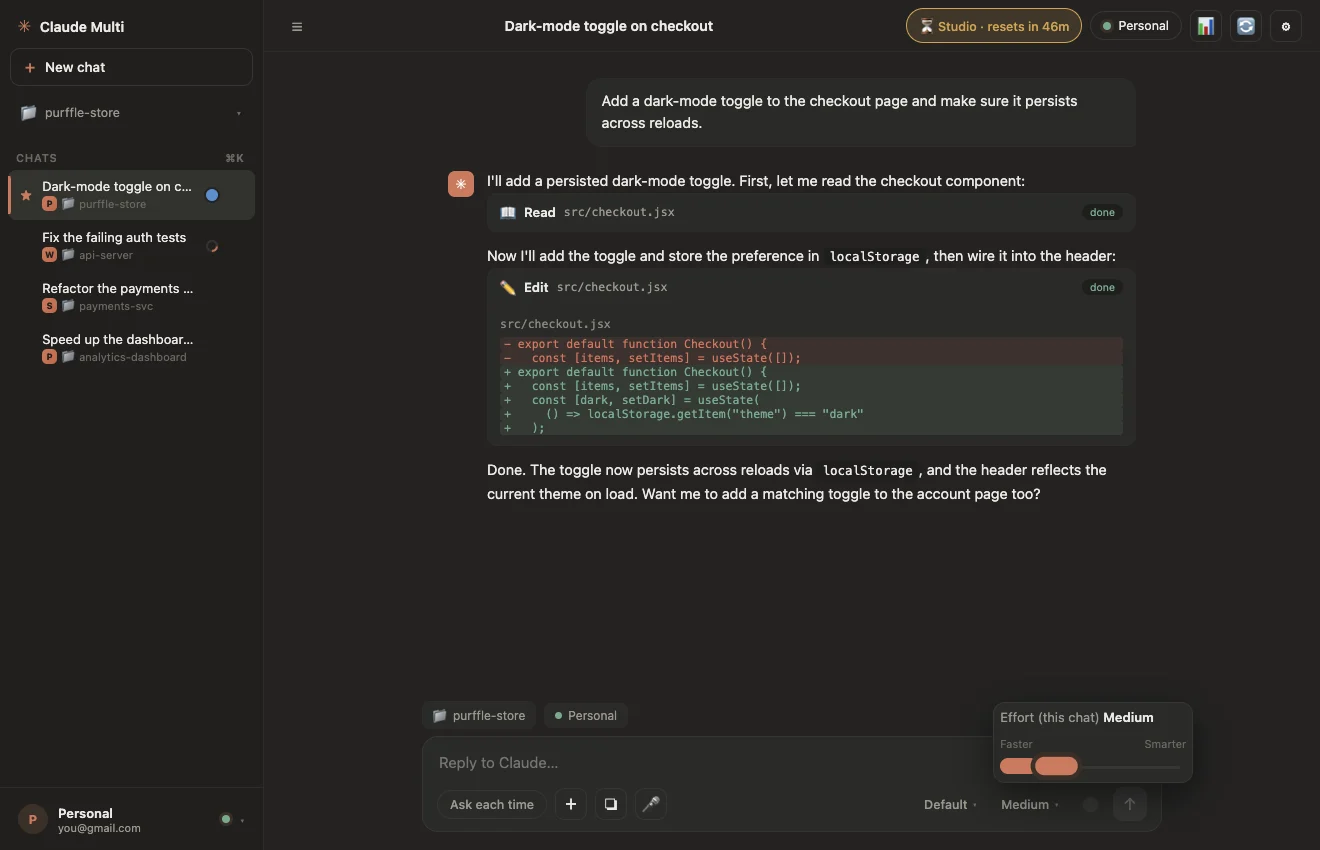
Claude Multi — 3 accounts active
Claude Multi desktop app showing multiple Claude accounts, live cooldown timers and a streaming chat
🔄
Auto-switched
Limit hit → new account
2h 14m
until reset
Everything you need

Built for people who hit Claude's usage limit

One window. Every account. Never stop mid-task again.

🔄

Auto-switch on usage limit

The instant an account hits its 5-hour limit, Claude Multi moves to a free account and re-issues your interrupted instruction. Zero manual steps.

🤖

24/7 auto-loop engine

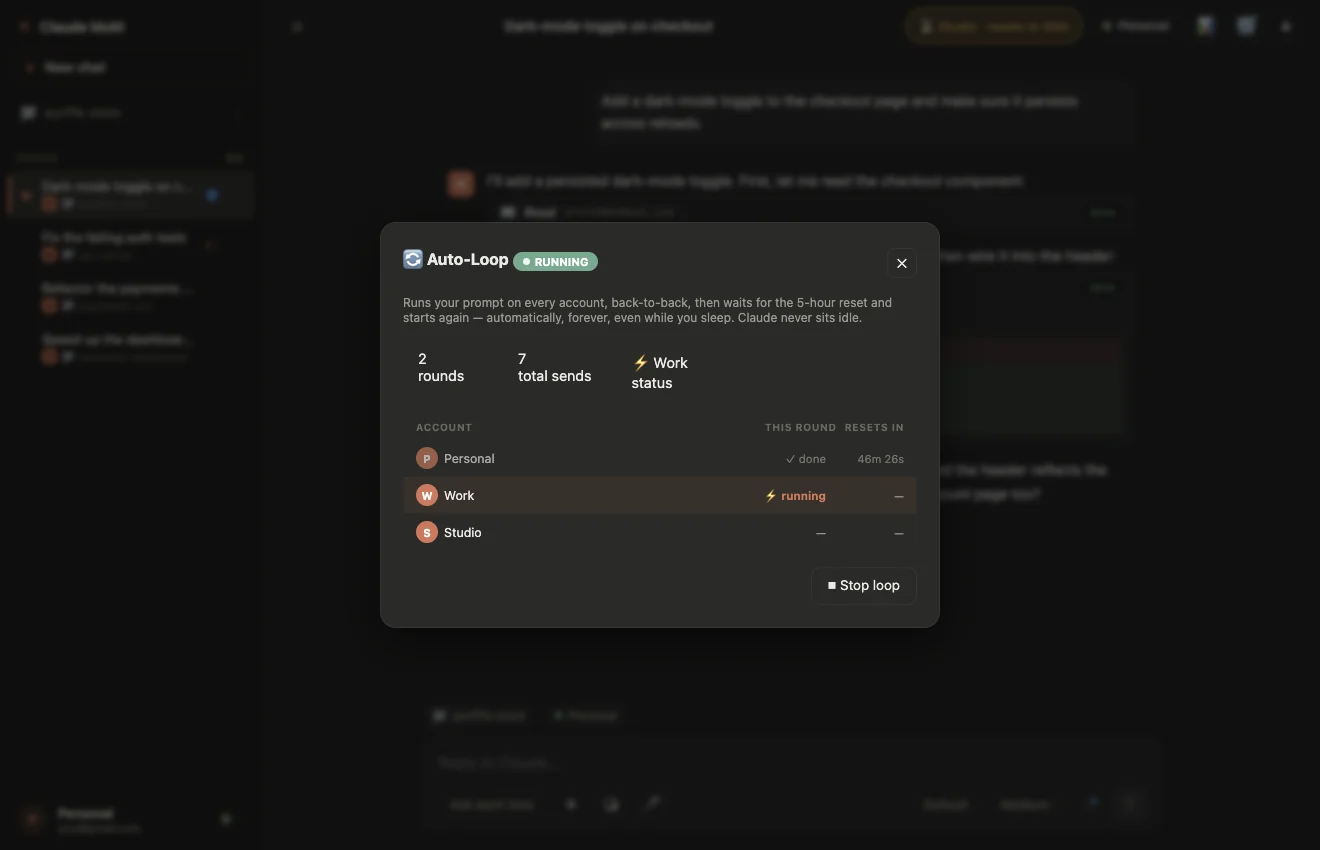
Set a prompt once and walk away. It runs on every account in rotation, waits through resets, and repeats — indefinitely, even overnight.

🧵

Parallel chats

Run multiple projects at once, each with its own folder, account and session. Switch between them instantly.

Live cooldown timers

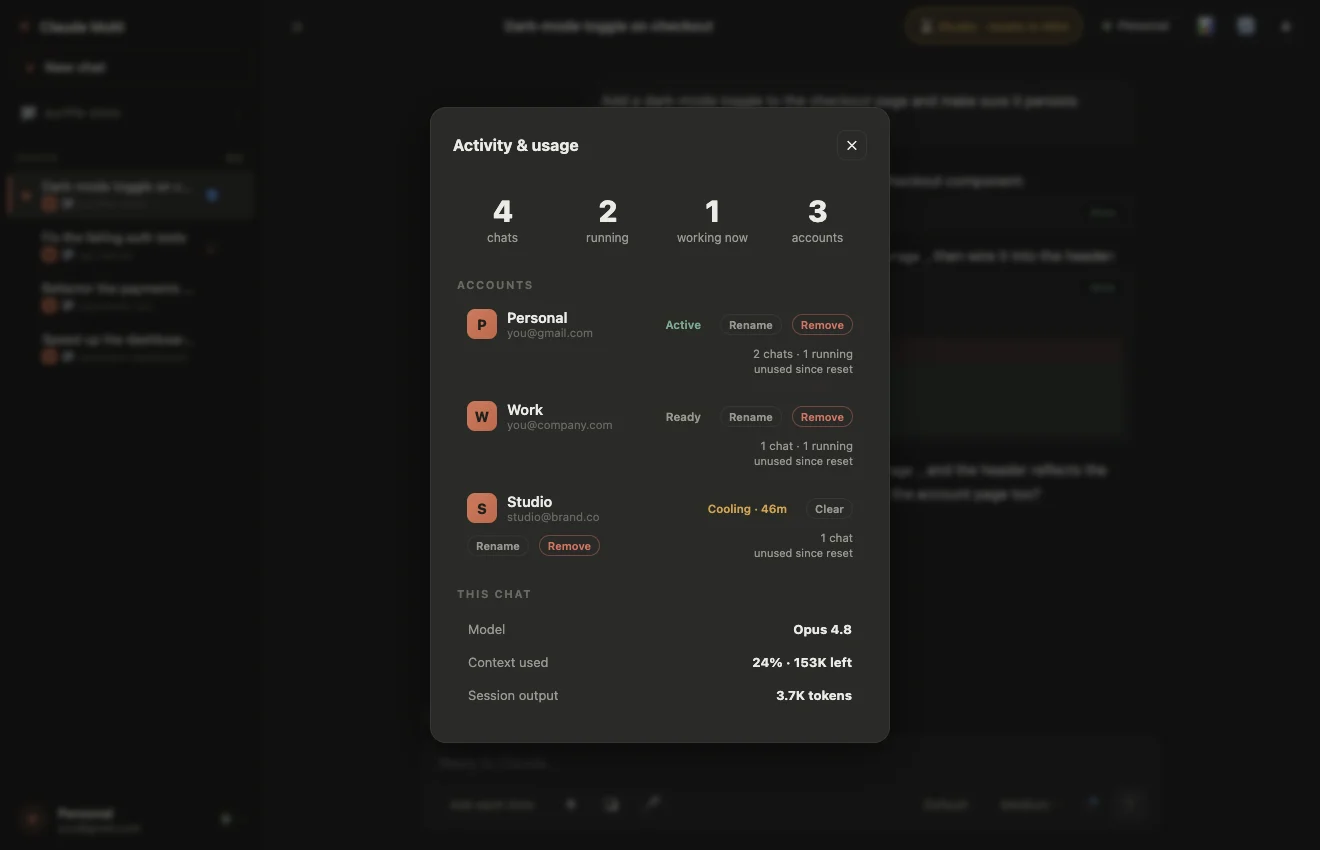
Every account shows a live countdown to its reset — updated every second. No more guessing which account is free.

📊

Context inspector

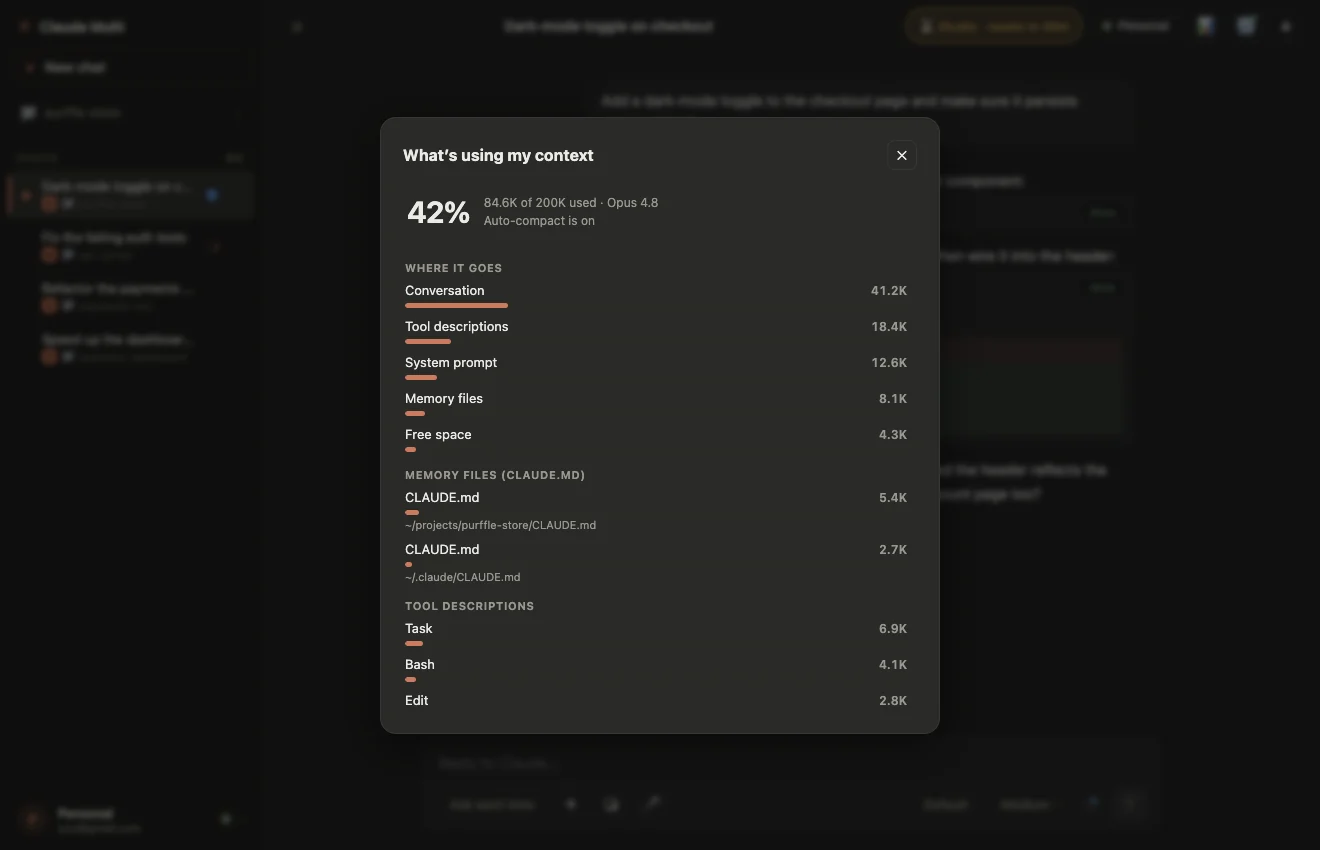
See every file, tool, memory item and turn filling your context window — with exact token counts. Know what's costing you.

🎤

Offline voice-to-text

Dictate straight into the composer with a bundled speech model. No internet, no API key — your voice never leaves your machine.

🧠

Every Claude model + 5 effort levels

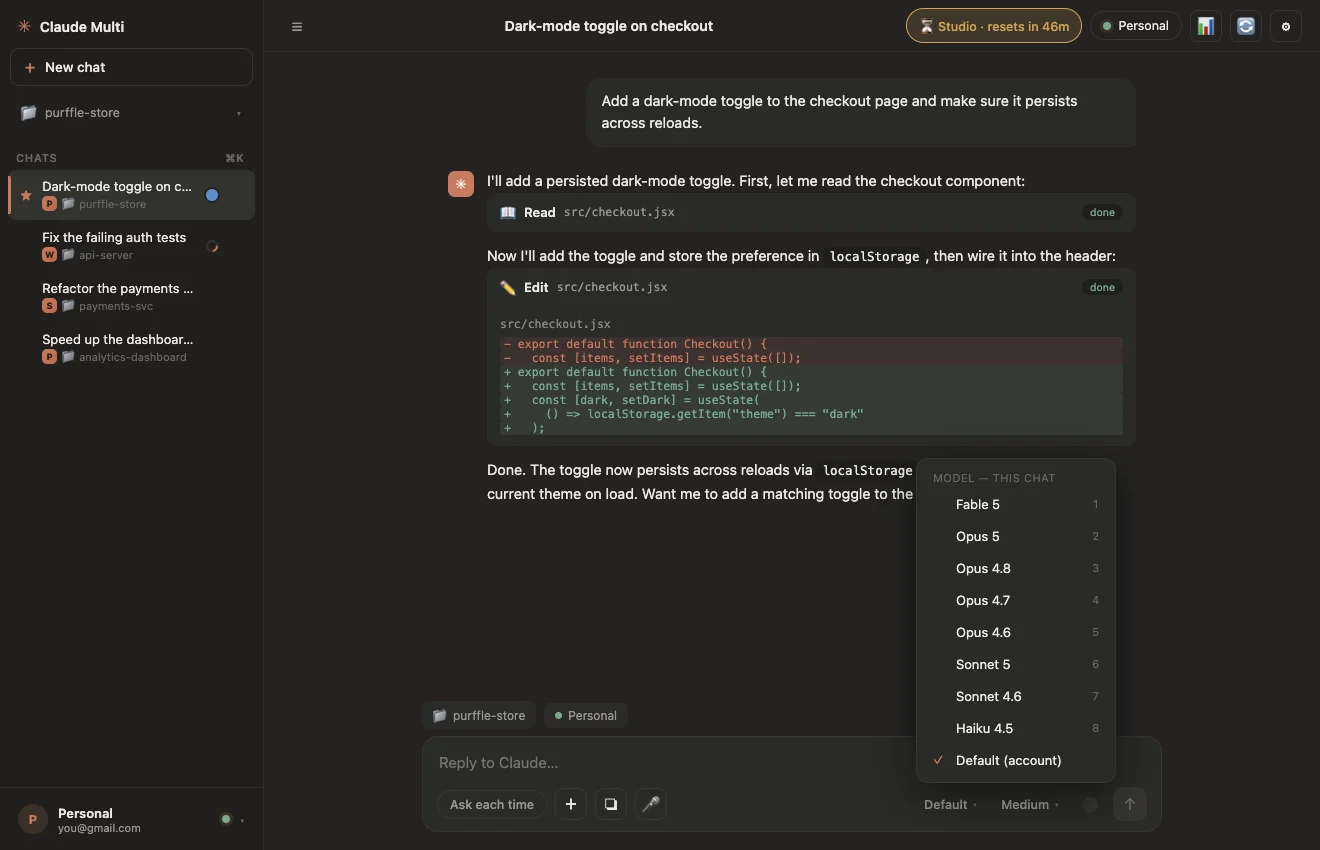
Opus 5, Fable 5, Sonnet 5, Haiku 4.5 and more — with effort from Low to Ultra think and Max, set per chat.

🔒

100% private

No telemetry, no analytics, no servers, no outbound requests. Everything stays on your computer. Fully open source.

A
Account Aambika@example.com
● Working
B
Account Bragu@example.com
Ready
C
Account Cvijay@example.com
Ready
Account A is running your task…

Hit a limit? You won't even notice.

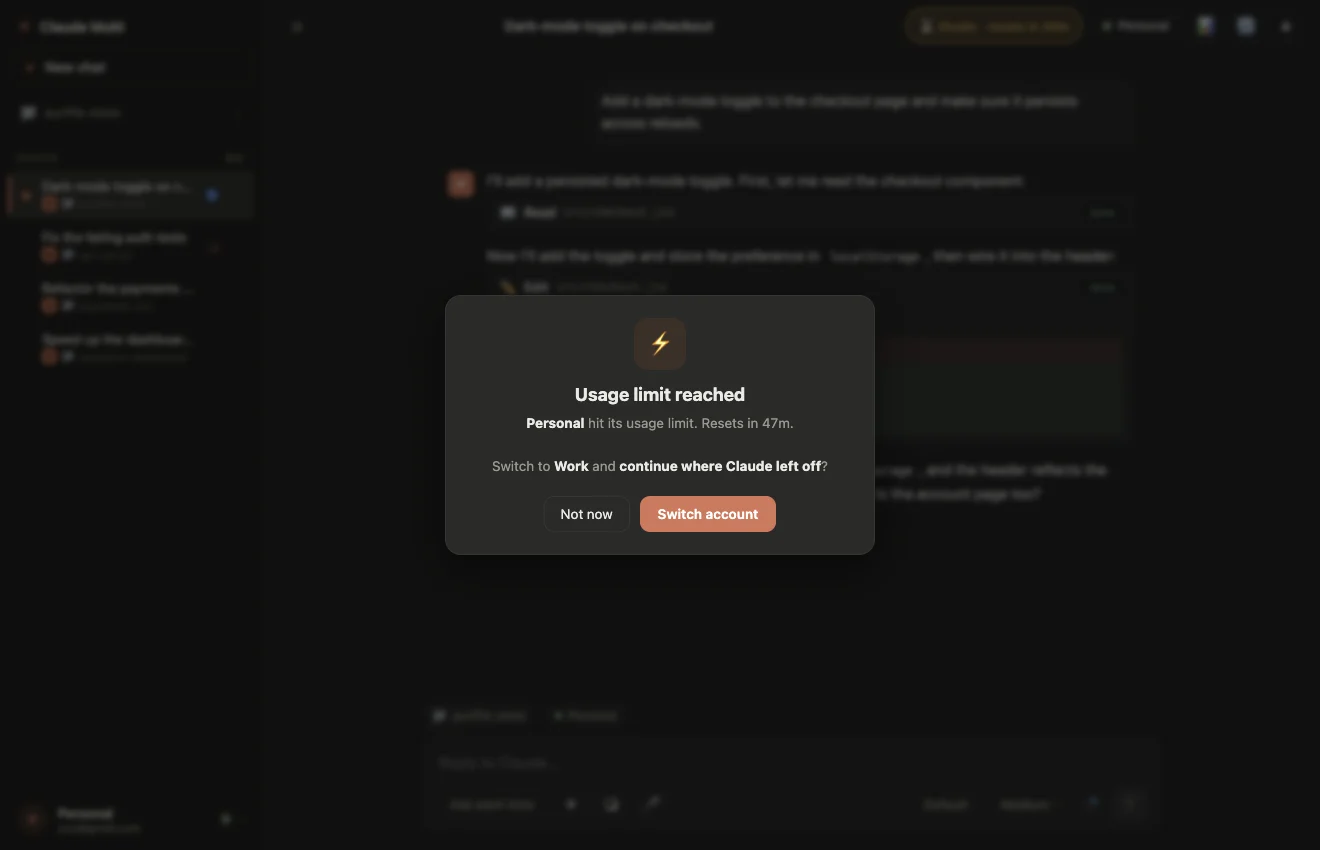
When Claude stops you mid-task with a usage limit, most people lose their flow — and their context. Claude Multi handles it in under a second.

  • Detects the limit the moment it appears in the stream
  • Parks that account with a live countdown to its reset
  • Copies your full conversation to a free account
  • Re-issues the exact instruction that got cut off
  • You just see a small "switched" toast — work continues
How to use two Claude accounts in one app

Set up in about 2 minutes

No API key. No config files. Just your normal Claude logins.

1

Download & open Claude Multi

Grab the free installer for Windows, macOS or Linux and open the app — it looks and feels like the official Claude desktop.

2

Add each Claude account

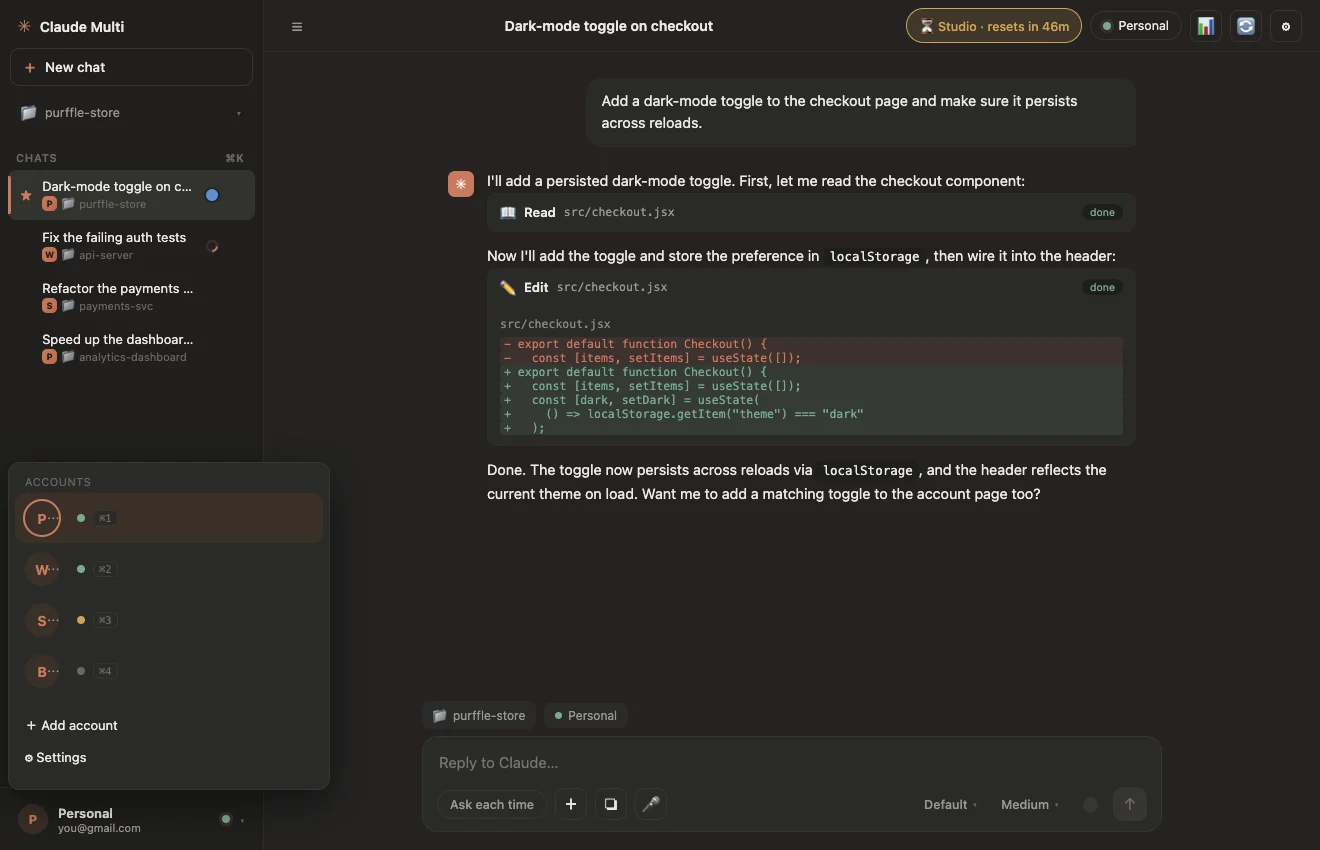
Click Add account for every Claude subscription you own. Each gets its own isolated config directory via CLAUDE_CONFIG_DIR, so logins never collide.

3

Sign in once per account

Sign in to each account a single time in the built-in login window. After that, everything runs quietly in the background.

4

Chat — switching is automatic

Pick an account and start working. When one hits its limit, Claude Multi carries the conversation to a free account and continues the exact task. You barely notice.

0
Accounts in one window
0
Claude models supported
0
Auto-loop runs overnight
0
Telemetry & tracking
Full power

Every model. Every effort level.

Choose exactly how hard Claude thinks — and which model runs — per chat.

🧠 Models

Fable 5Opus 5 Opus 4.8Opus 4.7Opus 4.6 Sonnet 5Sonnet 4.6Haiku 4.5

Switch models per chat with one click, or set a default. Use Opus 5 for hard problems and Haiku for quick edits to stretch your quota.

⚡ Effort levels

Low
Medium
High
Ultra think
Max

All five of Anthropic's effort levels, from fast-and-cheap to deep unconstrained reasoning — chosen per chat.

See it in action

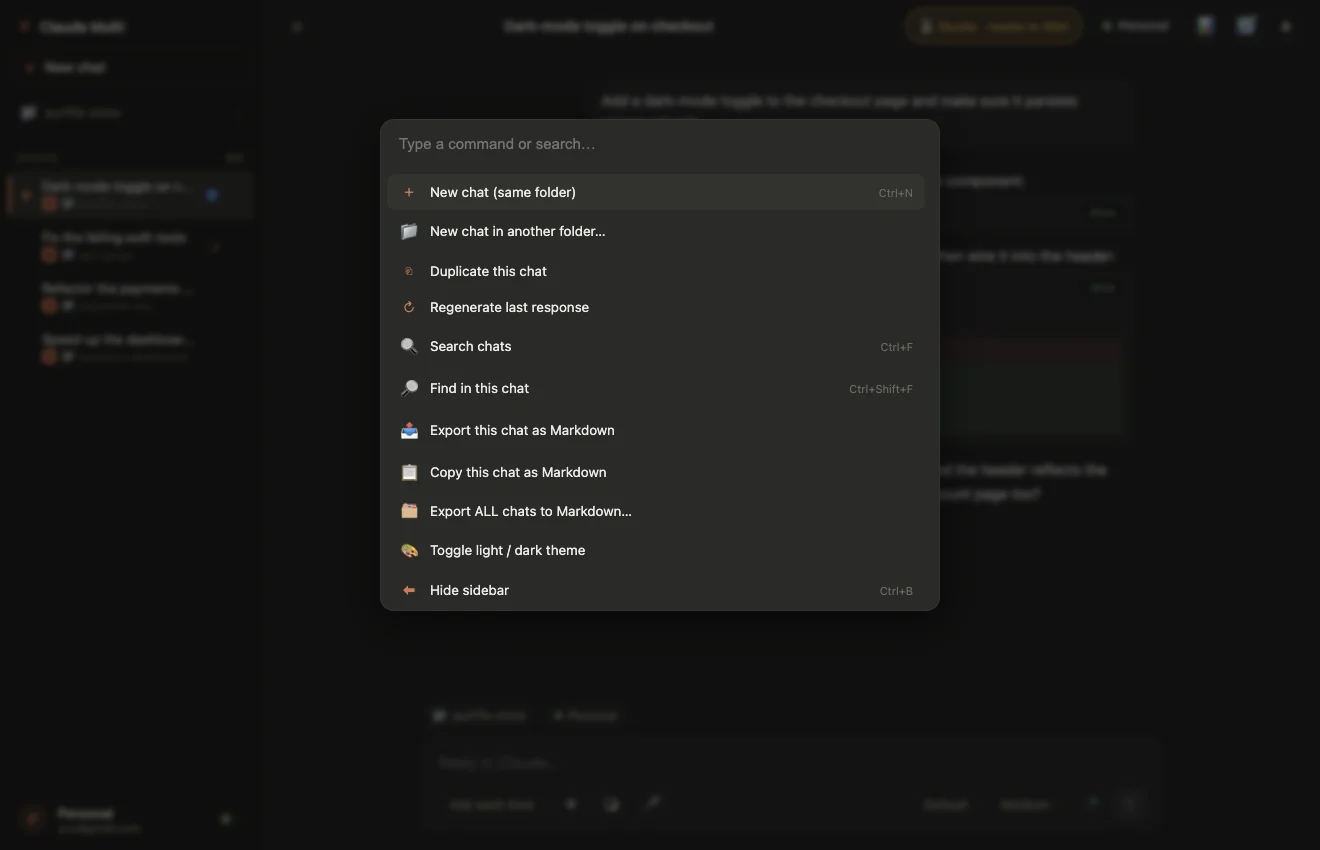
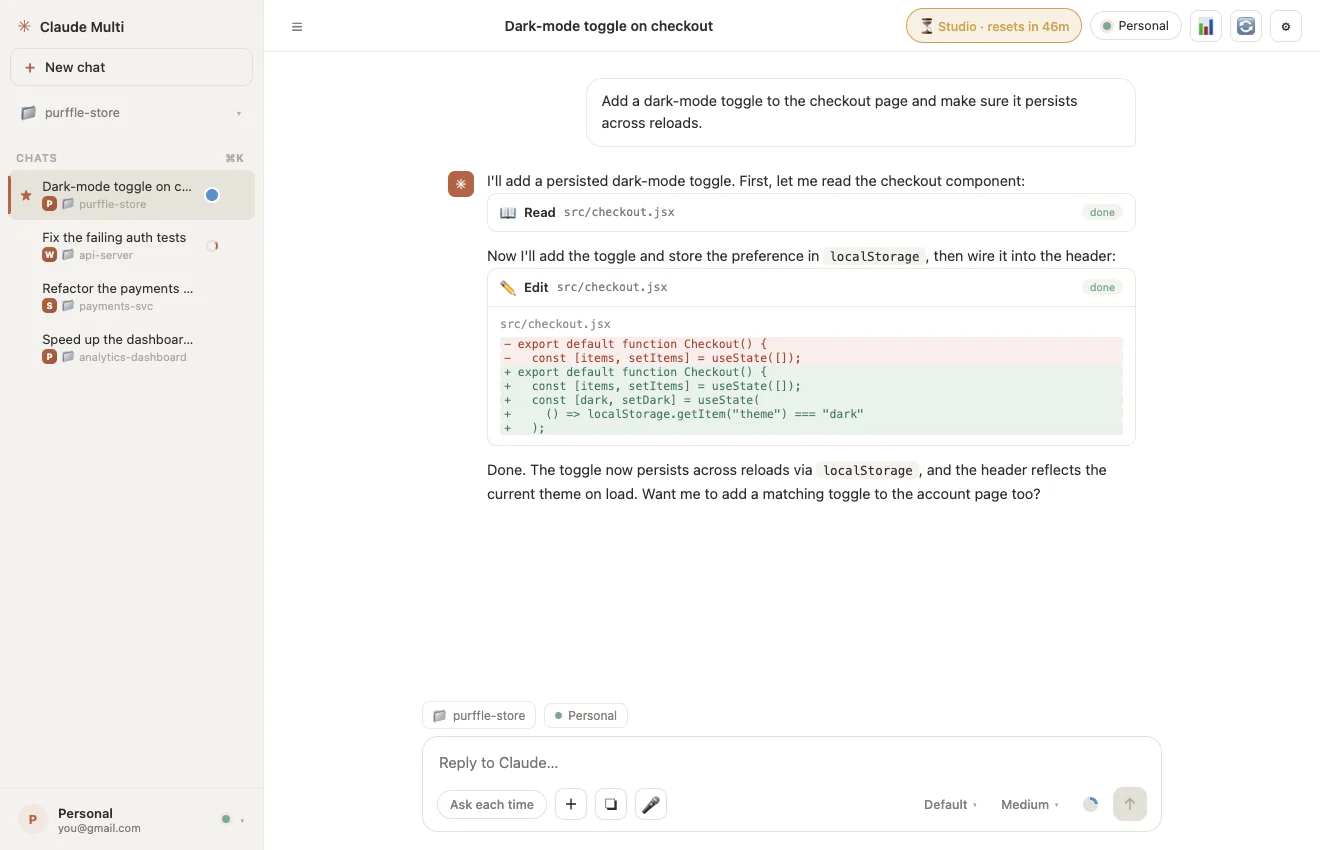
A familiar, beautiful interface

Everything you love about the Claude desktop app — multiplied across accounts.

Why Claude Multi

Claude Multi vs. the usual workarounds

CapabilityClaude MultiSeparate browsersClaude Code CLI
Multiple accounts in one window
Auto-switch on usage limit
Carries your conversation across
24/7 auto-loop
Live cooldown timers
Offline voice-to-text
No API key needed
Free & open source
Get started

Download Claude Multi — free

No account. No subscription to us. Just download and run.

🪟

Windows

Installer · recommended

⬇ Download .exe
🍎

macOS

Apple Silicon & Intel

⬇ Download .dmg
🐧

Linux

AppImage · most distros

⬇ Download AppImage
💾

Portable / Source

No install or build it

All files & source

Requires Node.js 18+ and the Claude Code CLI. Windows SmartScreen may warn because the app isn't code-signed yet — click More info → Run anyway. The full source is open on GitHub.

Answers

Frequently asked questions

How do I use Claude with multiple accounts in one app?
Install Claude Multi, click Add account for each Claude subscription you own, and sign in to each one once. Every account gets its own isolated config directory, so the logins never collide. Pick an account and start chatting. When one account hits its 5-hour usage limit, Claude Multi carries the conversation to another account and re-sends the interrupted instruction automatically.
Can I use two Claude accounts at the same time?
Yes. Claude Multi lets you sign in to up to 20 Claude accounts at once and run parallel chats across them. Switch accounts with one click, or let the app switch automatically when an account hits its usage limit.
What happens when Claude hits its 5-hour usage limit?
Claude Multi detects the limit, parks that account with a live countdown to its reset, and switches to an account that is free right now. It copies the conversation transcript across and re-issues the instruction that was cut off, so Claude continues the same task on the new account instead of starting over.
Do I need a Claude API key?
No. Claude Multi uses your normal Claude Pro, Max or Team subscription login — the same one you use for Claude Code. No API key, no extra cost.
Is Claude Multi free?
Yes. Claude Multi is 100% free and open source under the MIT license. No paid tier, no account required, no ads, and no monetization of any kind.
Which Claude models does it support?
Every current model — Claude Fable 5, Opus 5, Opus 4.8, Opus 4.7, Opus 4.6, Sonnet 5, Sonnet 4.6 and Haiku 4.5 — plus five effort levels from Low up to Ultra think and Max, set per chat.
Does the voice-to-text work offline?
Yes. Claude Multi ships a small speech model and does dictation entirely on your machine. No internet connection and no API key are required, and your voice never leaves your computer.
Is Claude Multi against Anthropic's terms of service?
Claude Multi is not account sharing — each account uses its own separate subscription, and logins stay on your own machine. However, Anthropic's February 2026 terms restrict the use of subscription logins in third-party tools. Use at your own risk and read Anthropic's consumer terms yourself before deciding.
How many Claude accounts can I add?
Up to 20 Claude accounts. Each one keeps its own login, its own usage window and its own cooldown timer.
What operating systems does Claude Multi run on?
Windows, macOS (Apple Silicon and Intel) and Linux.

Stop hitting the usage wall.

Use all your Claude accounts in one app — free, private, open source.