It detects the limit
The limit error is caught in the response stream the moment it appears.
Purffle / Claude Multi / Guides
The message always arrives at the worst moment — halfway through a change. What it means, how to make your quota last longer, and how to carry on without losing the thread.
Claude Pro, Max and Team subscriptions are metered in usage sessions. When a session's allowance runs out, Claude stops — often mid-task in Claude Code — and tells you when you can continue. That reset can be up to five hours away, which is why it is usually called the 5-hour limit. Heavy use can also run into weekly caps.
How fast you get there depends less on how many messages you send than on how much each message carries: the model you picked, how hard it is thinking, and everything sitting in the context window that gets sent again with every turn.
CLAUDE.md files and many tool
definitions are re-sent every turn. Use /compact on long chats and start a fresh chat for a new task.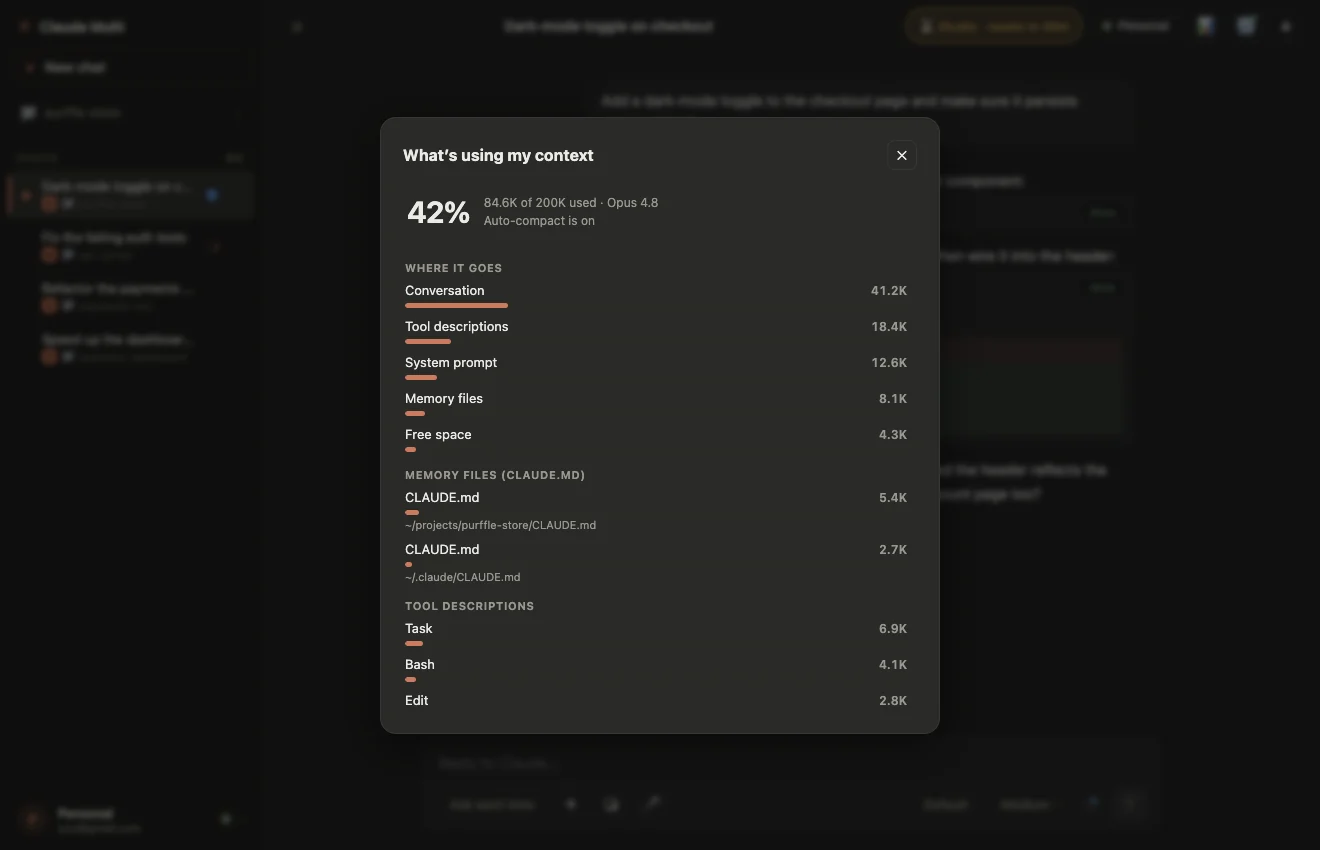
The limit message includes the reset time, but it is easy to lose once you have moved on. If you run more than one account, the question becomes which one is free now? Claude Multi reads the reset time Claude reports and shows a per-second countdown for every account on its dashboard.
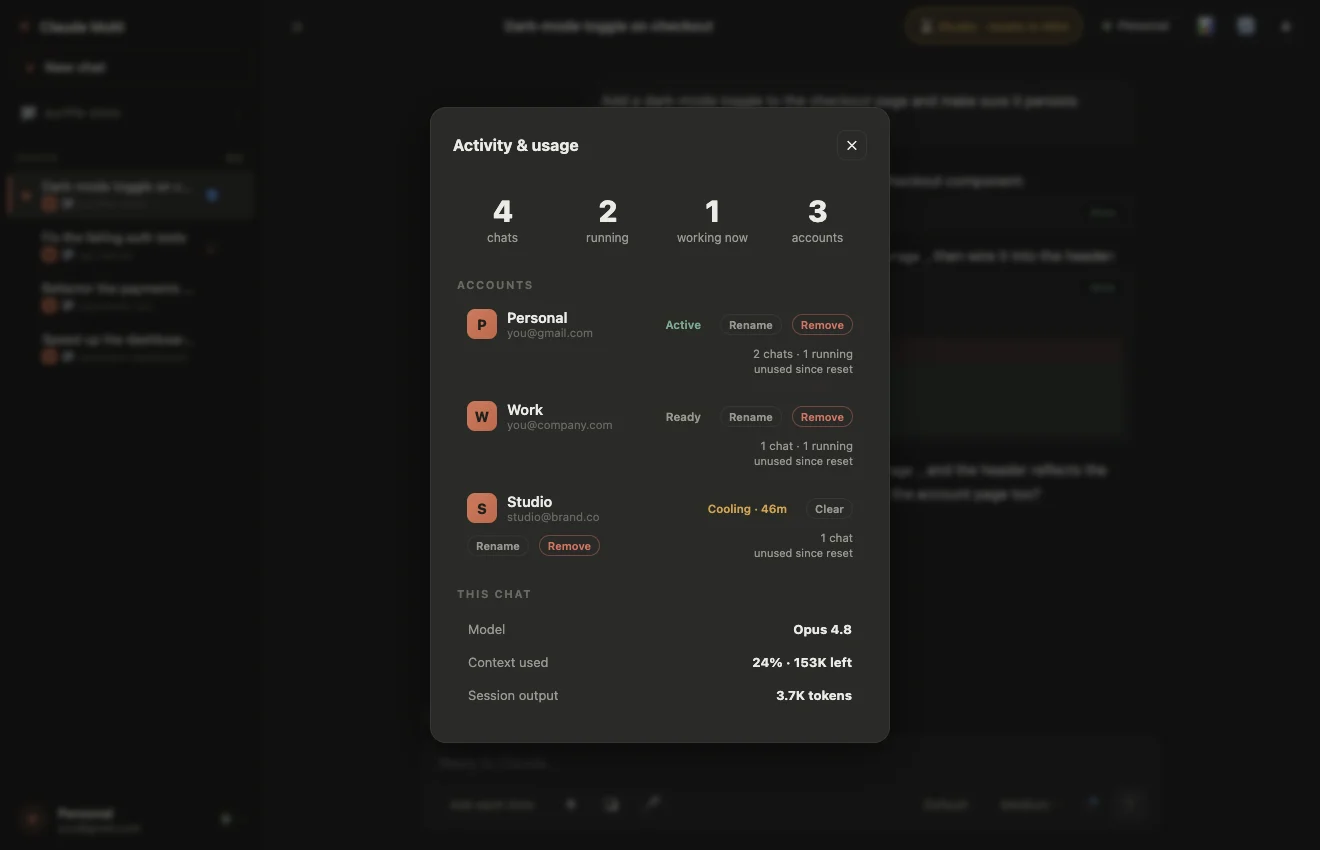
If you have a second subscription, you can switch to it — but done by hand, the new account starts with no idea what you were doing. This guide shows the manual setup. Claude Multi automates the whole hand-over:
The limit error is caught in the response stream the moment it appears.
The account is stamped with its reset time and gets a live countdown.
The transcript is copied to an account that is free now and the session is resumed there.
The instruction that was cut off is issued again, so the task continues instead of starting over.
If you want work to keep going while you are away, auto-loop sends a prompt on each account in rotation and waits out resets instead of failing.
| Option | Cost | Trade-off |
|---|---|---|
| Wait for the reset | Nothing | Up to five hours without Claude. |
| Use less per message | Nothing | Smaller models and lower effort are weaker on hard problems. |
| Upgrade your plan | A bigger subscription | Higher limits, but still limits. |
| A second account of your own | Another subscription | Switching by hand loses the conversation — unless a tool carries it across. |