v11.7.2 out now·Free forever·No ads · no account · no limits·FFmpeg + yt-dlp bundled·Spotify → MP3 / FLAC·YouTube → MP4 up to 4K·Windows · macOS · Linux·Self-updating engine·A Purffle app · built in Chennai·v11.7.2 out now·Free forever·No ads · no account · no limits·FFmpeg + yt-dlp bundled·Spotify → MP3 / FLAC·YouTube → MP4 up to 4K·Windows · macOS · Linux·Self-updating engine·A Purffle app · built in Chennai·
v11.7.2 — newFree foreverNo adsNo signup
The free Spotify & YouTube downloader.
PurffleGrab turns any Spotify playlist into MP3 or FLAC with cover art, and any
YouTube video, playlist or channel into MP4 up to 4K or MP3. One desktop app for
Windows, Mac & Linux — no ads, no account, nothing else to install.
Spotify playliststo MP3YouTube in 4Kwhole channelsFLACcover art & tagsTranscriptsno ads, everSpotify playliststo MP3YouTube in 4Kwhole channelsFLACcover art & tagsTranscriptsno ads, ever
01 App tour · v11.7.2
What it actually looks like.
Real screenshots from the current release, captured from the running app —
not mock-ups. Click any screen to see it full size.
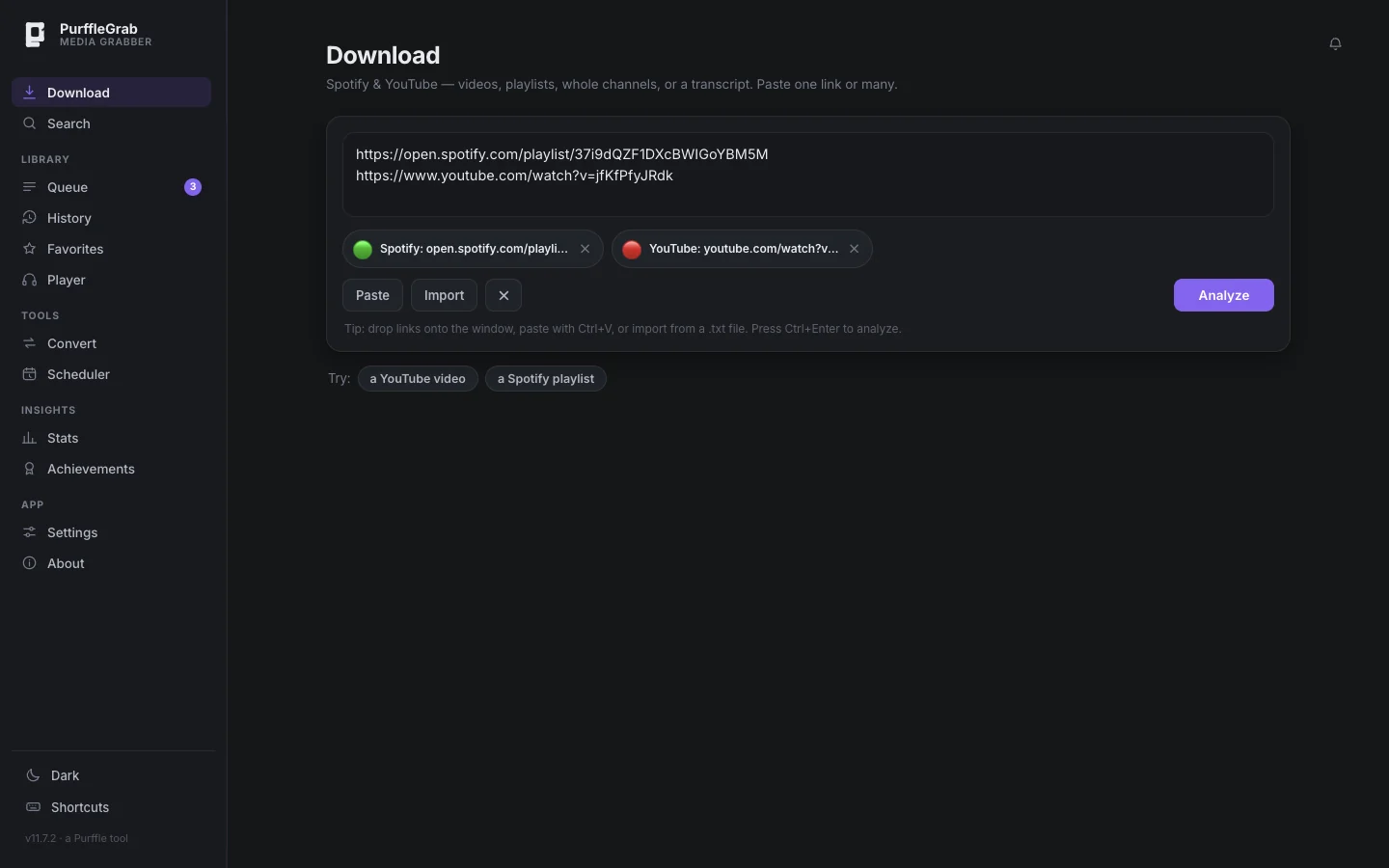
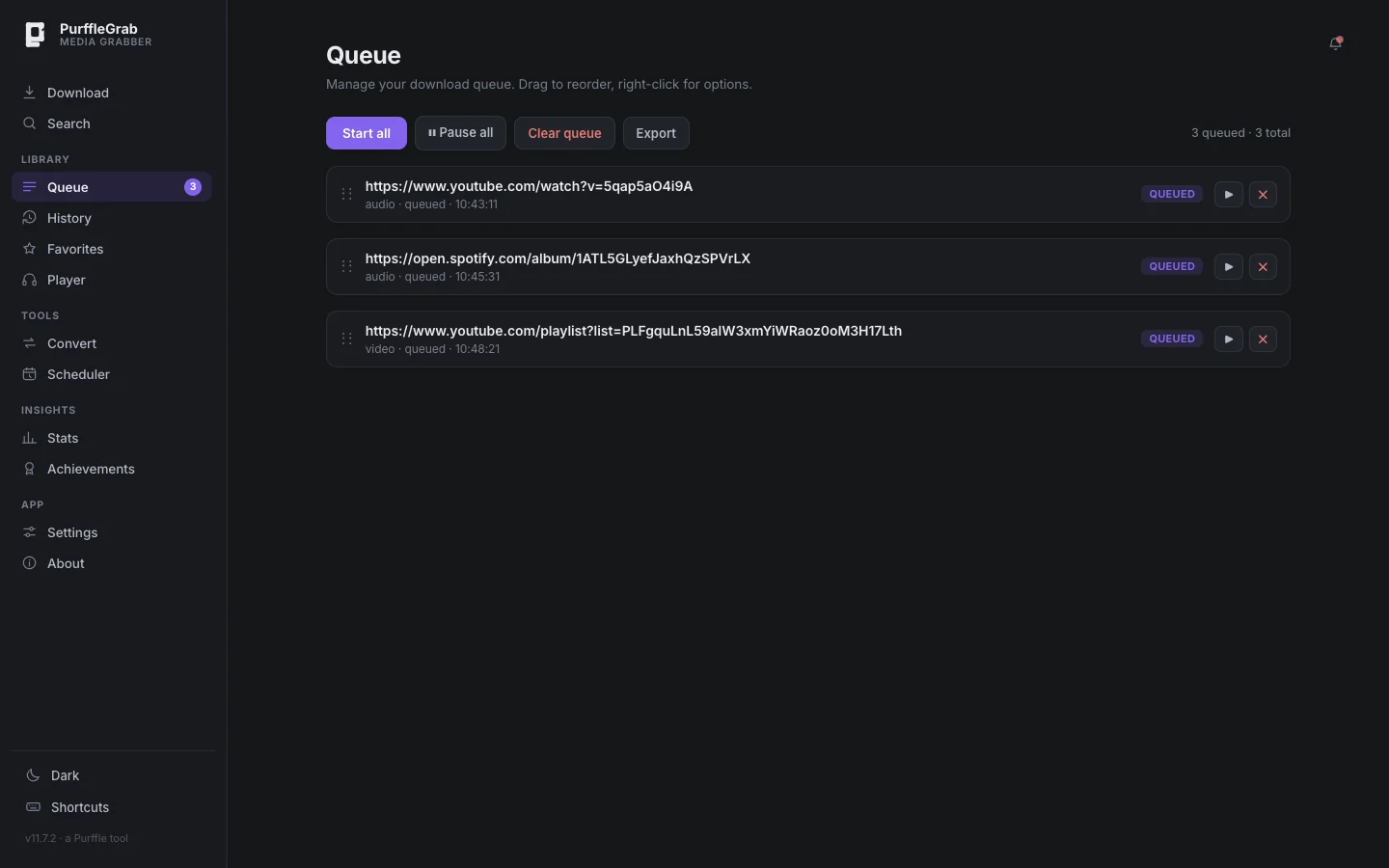
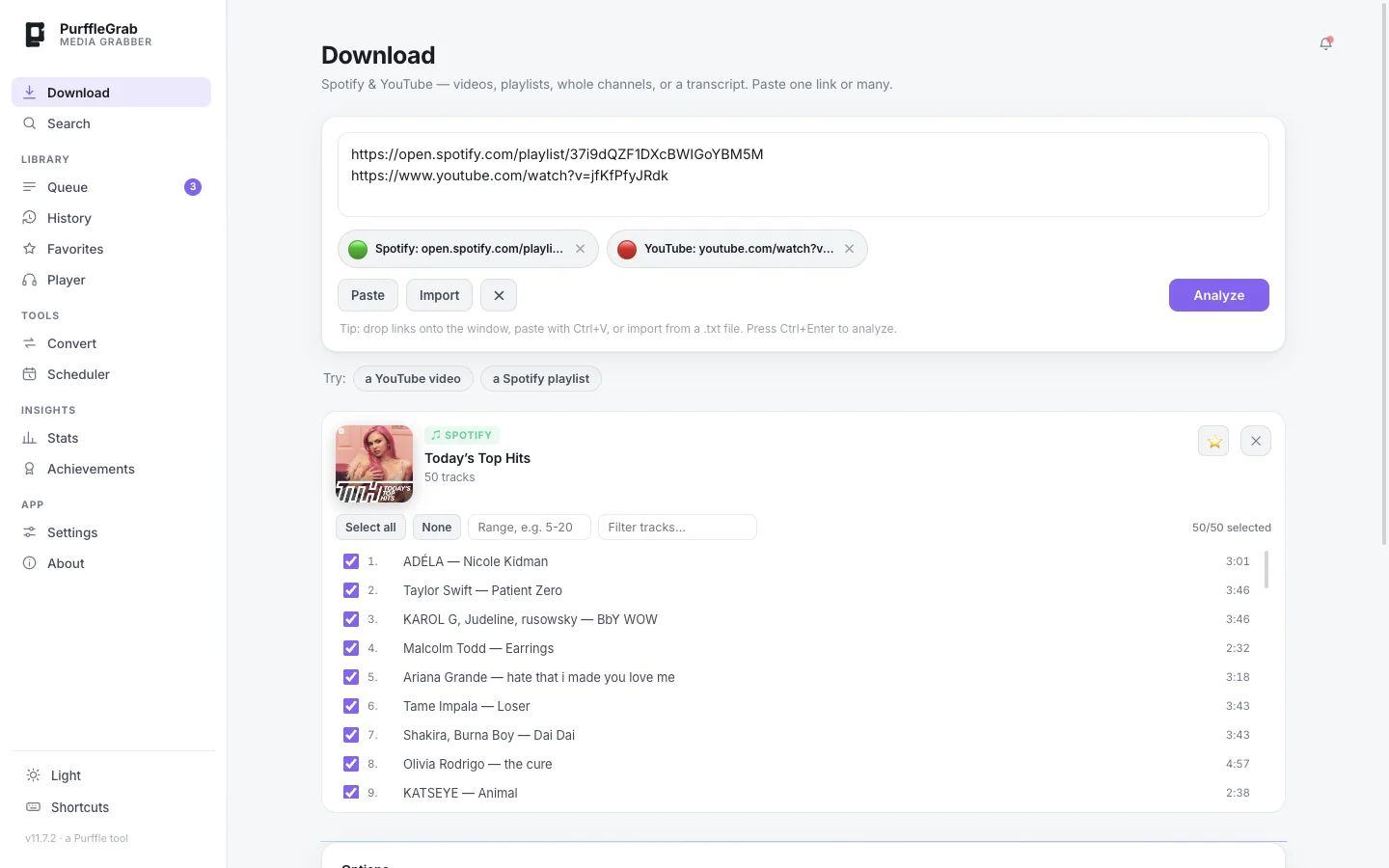
Paste one link — or fifty
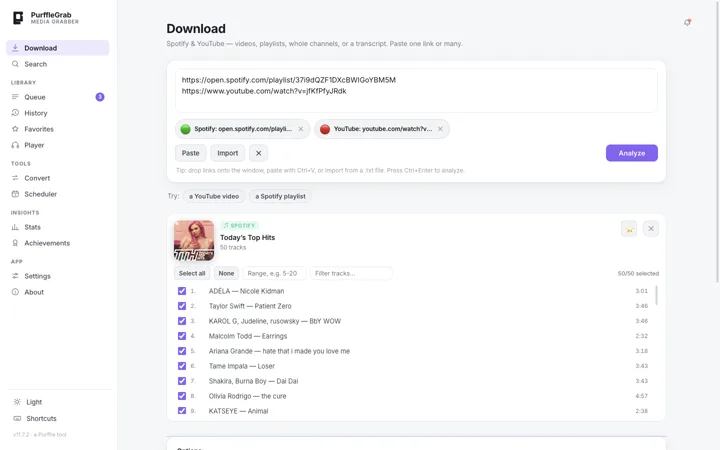
Drop Spotify and YouTube links in together. Each one is recognised instantly, and you can import a .txt list or drag links onto the window.
01 / 10
02 Features
Everything a downloader should do.
No browser extension, no sketchy converter site, no pop-ups. Just a fast
desktop app with the tools you'd otherwise need three programs for.
01 — CORE
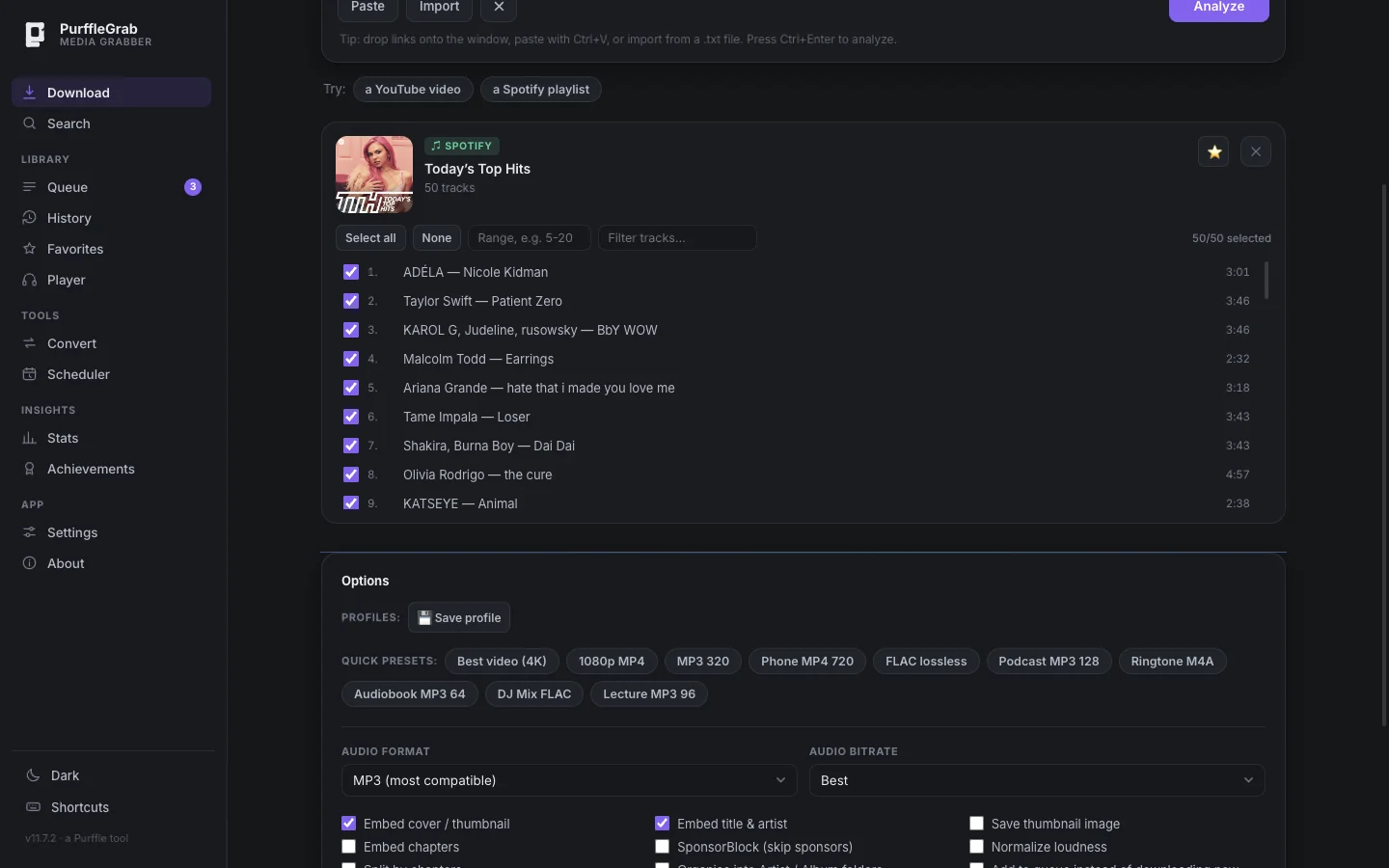
Spotify playlists, albums & tracks → MP3 or FLAC
Paste a Spotify link and every track is listed with its artwork. Pick the ones you want, choose
a format, and each file is saved with title, artist, album and full-size cover art — ready for
your phone, car or music library.
MP3 320FLACM4ACover artID3 tags
02 — CORE
YouTube up to 4K
Videos, Shorts, playlists and whole channels — as MP4 (H.264/AAC) that plays everywhere, or audio only.
03
Search without a link
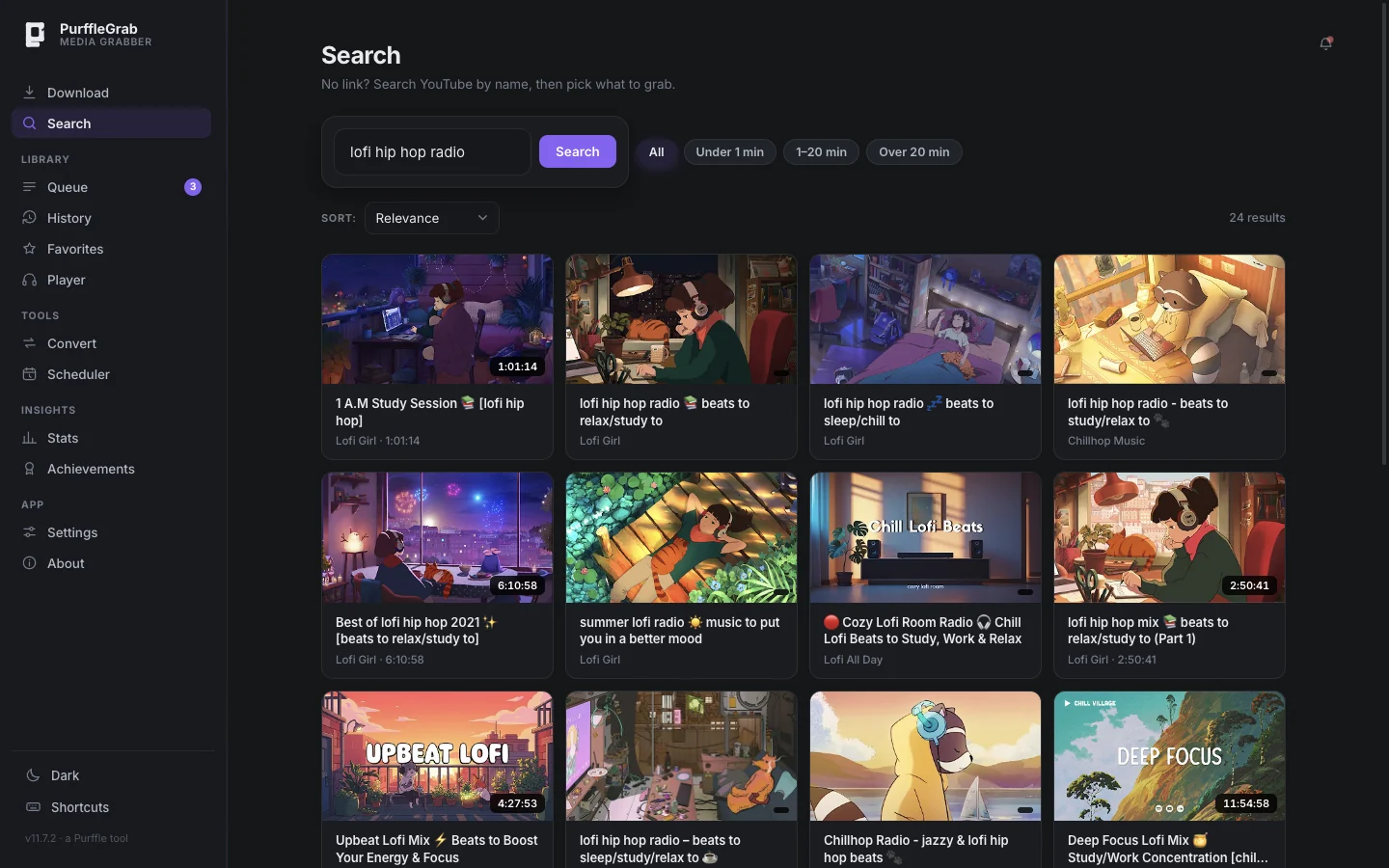
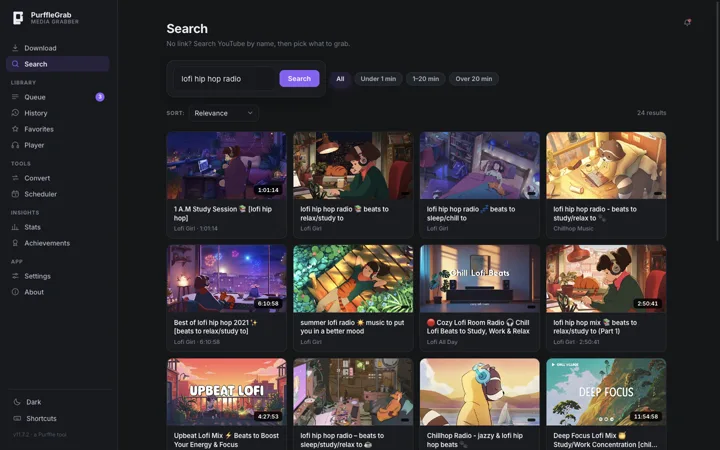
Search YouTube by name inside the app, filter by length, tick results and download or queue them.
04
Batch everything
Paste many links at once, drag them onto the window or import a .txt file. A queue runs them in order.
05 — NEW
Exact format & size picker
See every resolution, codec and file size YouTube offers, and pick precisely what to save.
06 — NEW
A YouTube engine that updates itself
The bundled yt-dlp engine refreshes on its own, and failed tracks retry with alternative YouTube
clients — so downloads keep working when YouTube changes. When something does fail, you're told
why: private, region-blocked or age-restricted.
07 — NEW
Copied-link detection
Copy a Spotify or YouTube link anywhere and switch back to PurffleGrab — it offers to grab it in one click.
08 — NEW
Transcript download
Save any video's spoken text as a clean .txt, in the language you pick, with or without timestamps.
09
SponsorBlock, subs, chapters, clips
Skip sponsor segments, embed subtitles, split a long mix by chapter, or save just one section.
10
Queue & scheduler
Line jobs up and start them together, or schedule a download once, daily or weekly.
11
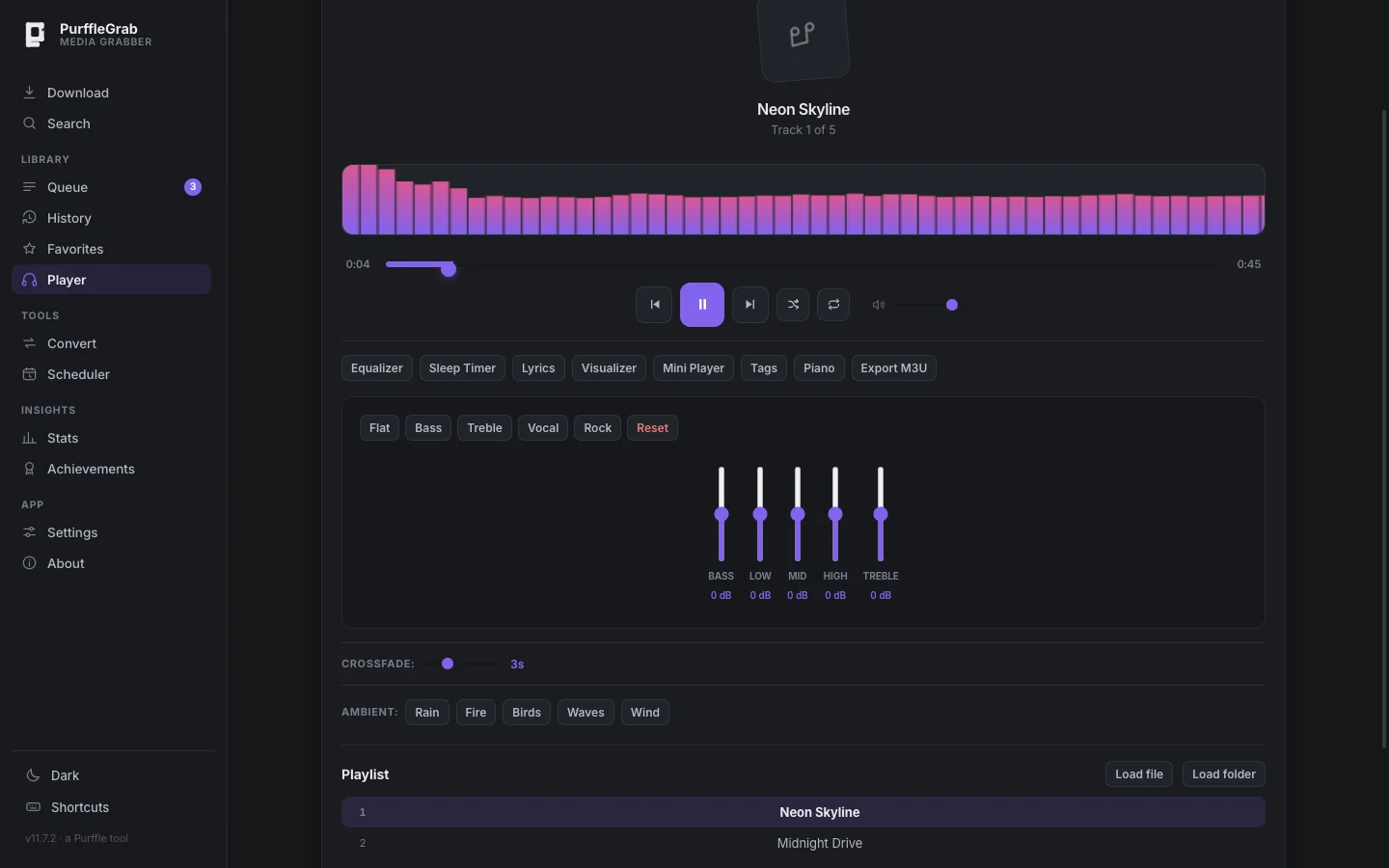
A real player, built in
Play what you downloaded straight away — 5-band equalizer with presets, three visualizer modes,
crossfade, sleep timer, mini player and M3U export.
12
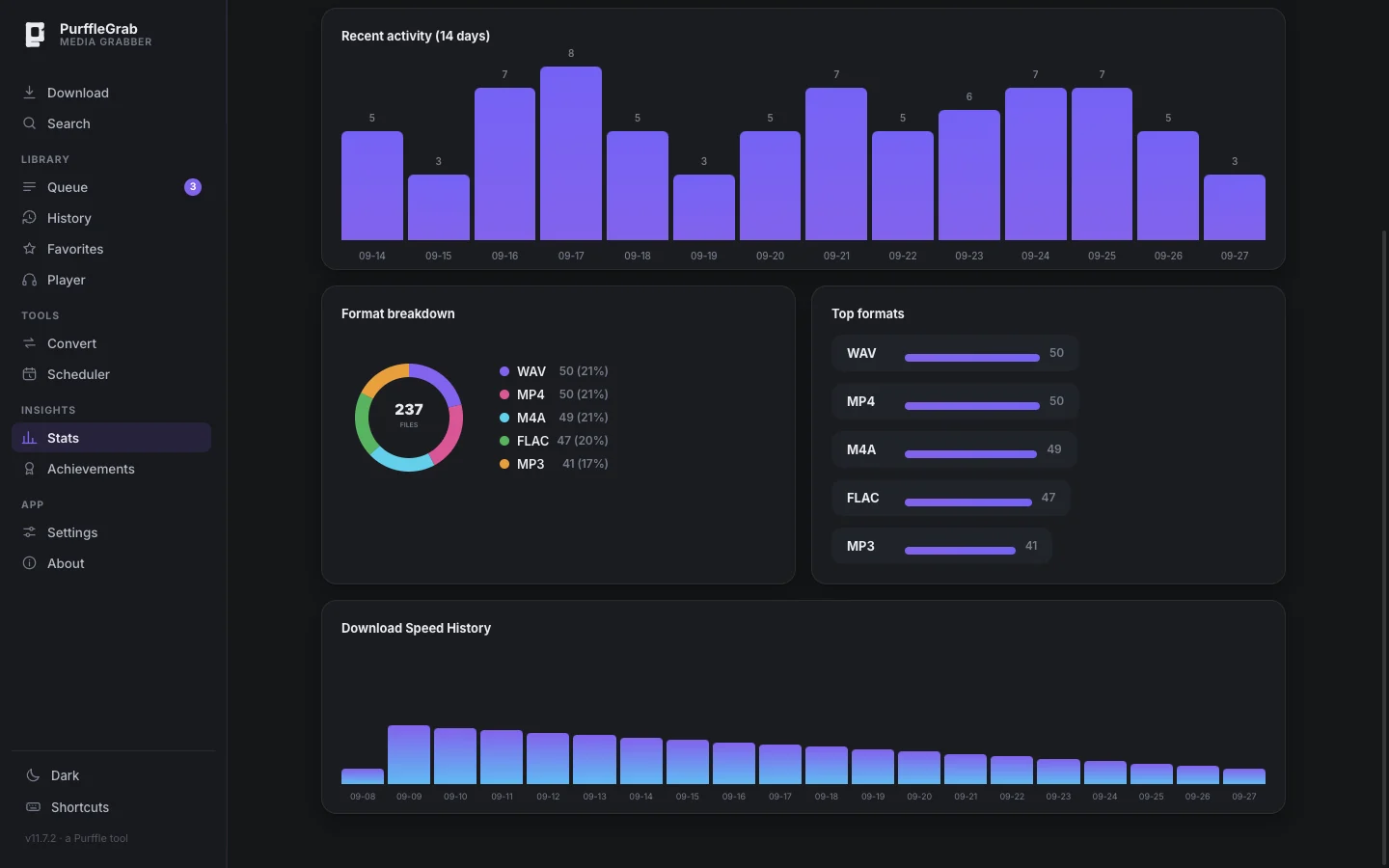
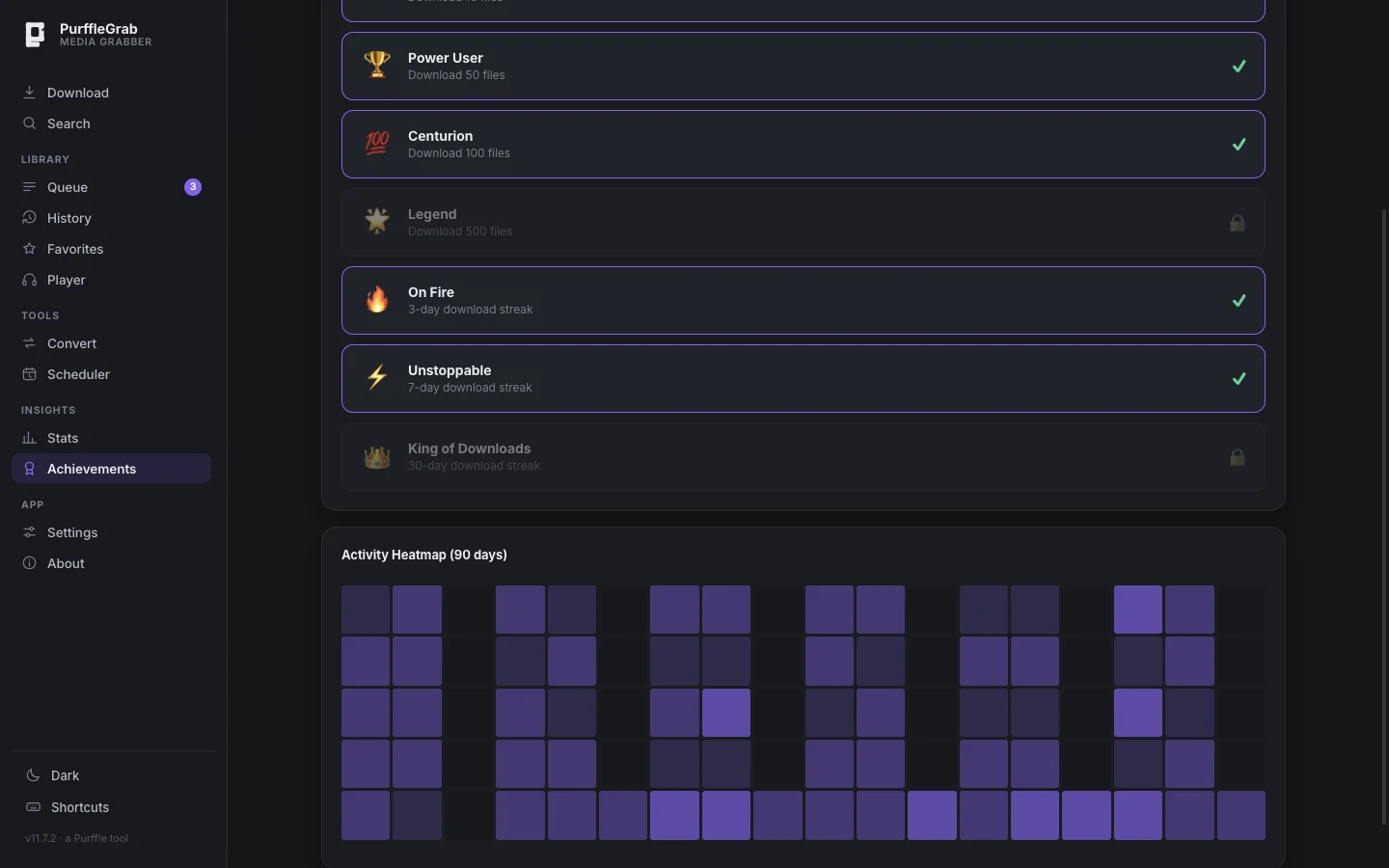
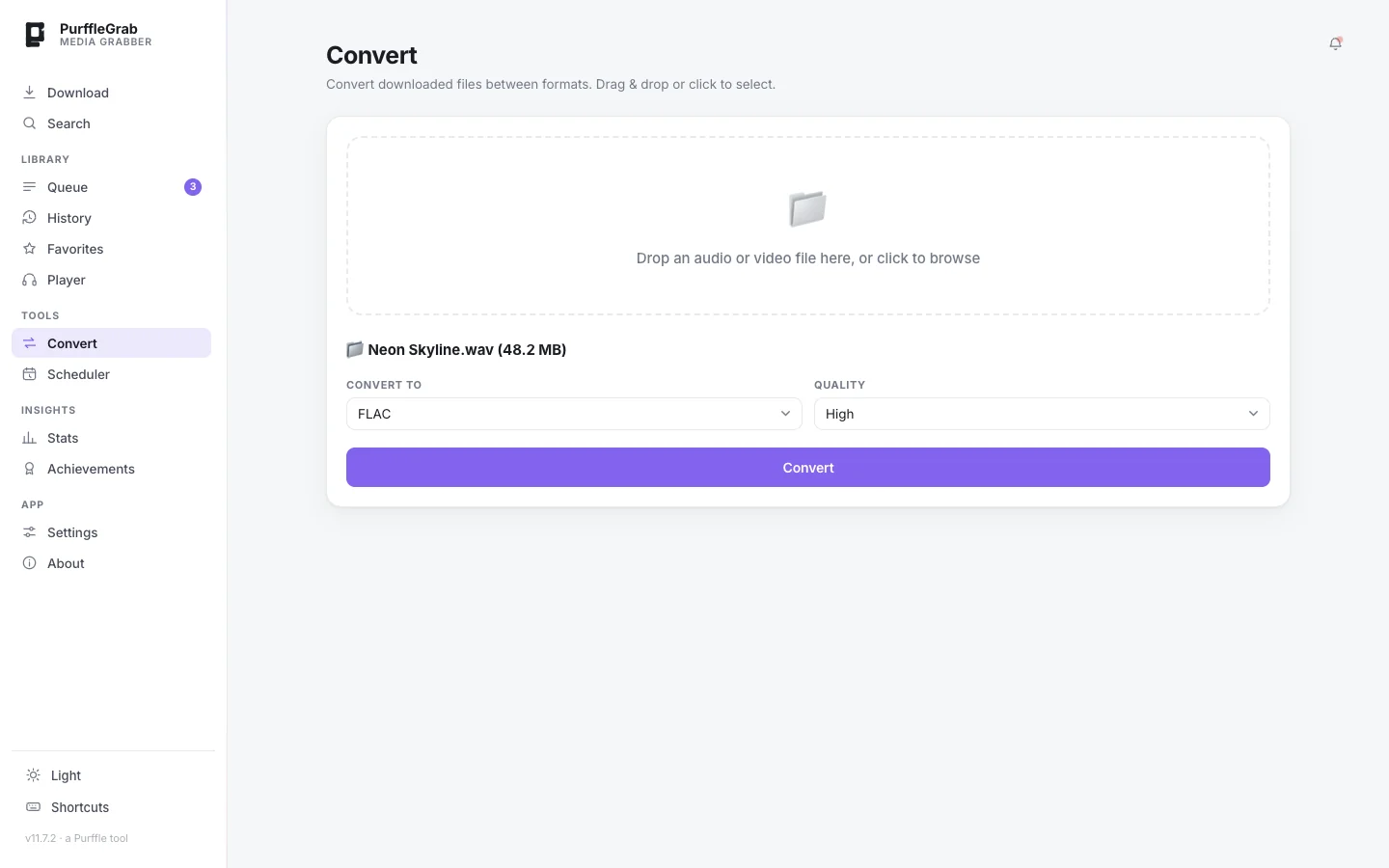
Converter, presets, stats
Convert any audio or video file between formats, use one-click presets (Phone MP4 720, Podcast
MP3, Ringtone M4A, Audiobook, DJ mix FLAC), and see your download stats, streaks and achievements.
Converter11 presetsStatsHeatmapDark & light
03 YouTube downloader
YouTube → MP4 · MP3
A free YouTube downloader without the junk.
Online converters bury the download button under ads and cap you at 720p.
PurffleGrab runs on your computer, so there's nothing in the way — 4K video, 320 kbps MP3, whole
playlists and channels, straight to your folder.
01Any quality up to 2160p — or open the exact-format picker to choose by resolution, codec and size.
02YouTube to MP3 at up to 320 kbps, or M4A, Opus, FLAC and WAV.
03Playlists and whole channels — list every video, tick a subset, grab them all.
04Search by name when you don't have a link, with length filters.
05SponsorBlock, subtitles, chapters, trimming and transcript export.
Paste a playlist, album or track link. PurffleGrab lists every song, finds the
best-matching audio, and saves each one as MP3 or FLAC with the title, artist, album and cover
art already written in — so it lands neatly in any music library.
01No Spotify login needed for public playlists, albums and tracks.
02Track picker with select all, ranges like 5–20, and a filter box.
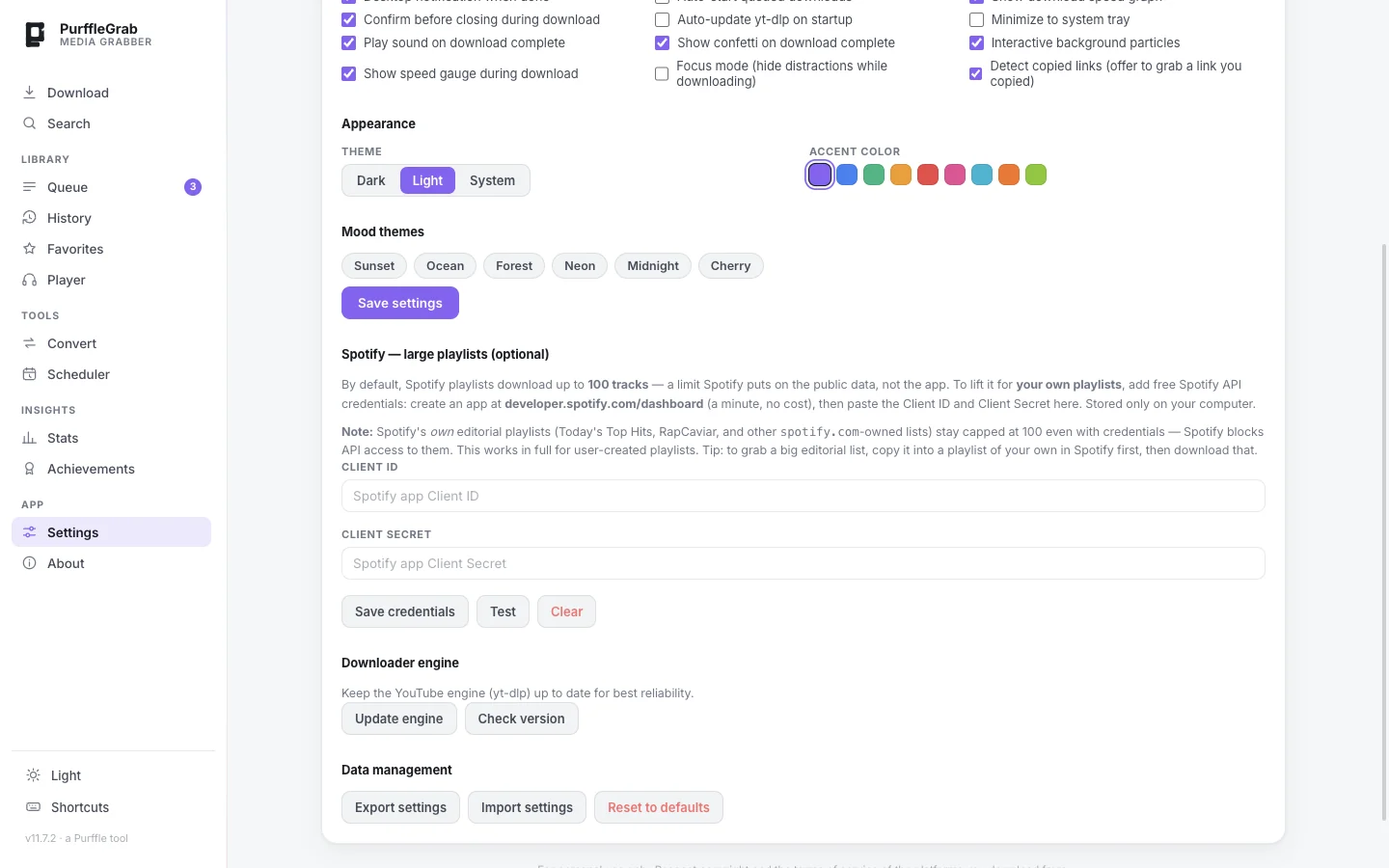
03Big playlists — add your own free Spotify API key in Settings to go past the 100-track public limit.
04Clean tags from Spotify's metadata, not guessed from video titles.
Four steps, about a minute the first time. After that it's paste and go.
01
Install
Download the installer for Windows, macOS or Linux. FFmpeg and yt-dlp come bundled — nothing else to set up.
02
Paste
Copy a Spotify or YouTube link — a song, video, playlist, album or channel — and paste it. Or search by name.
03
Pick
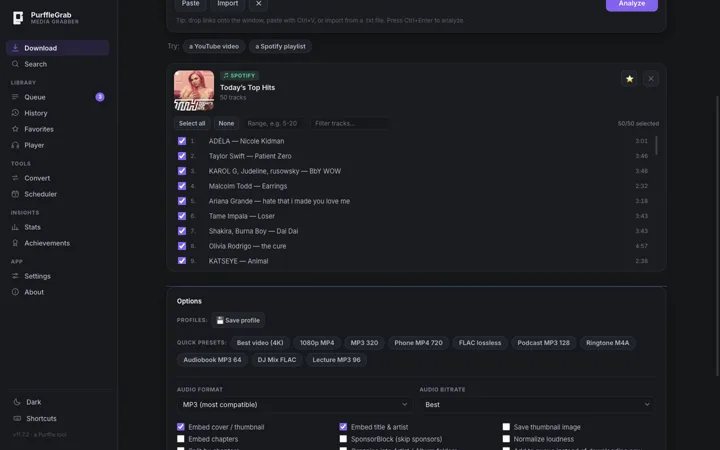
Choose a preset like MP3 320, FLAC or Best video (4K), or fine-tune format, bitrate and options.
04
Grab
Watch live progress, speed and ETA. Files land in Music/PurffleGrab, tagged and ready.
Worth knowing
Spotify's audio is DRM-protected, so no app can copy it directly — anything claiming otherwise
isn't telling the truth. PurffleGrab reads the public track list, finds the closest match on
YouTube, and writes Spotify's own tags and artwork onto the file. Once in a while a track can match a
live or remixed version; the guide shows the one-minute fix.
06 Formats
Every format you'll need.
Seven audio formats, MP4 video from 144p to 4K, and a converter for anything else.
MP3
up to 320 kbps
plays anywhere
FLAC
lossless container
archive
M4A
AAC · Apple
audio
WAV
uncompressed
editing
Opus
best per byte
audio
OGG
Vorbis
audio
AAC
raw AAC
audio
MP4
H.264 / AAC
video
4K
2160p
video
1080p
Full HD
video
TXT
transcripts
text
SRT
subtitles
captions
07 Watch · 2 min
See a playlist download in real time.
A two-minute walkthrough: a Spotify playlist to MP3 and FLAC with cover art, then a YouTube video in 4K.
An honest look at the usual options. Command-line yt-dlp is excellent — PurffleGrab
is built on it — but most people would rather click than type.
PurffleGrab
Online converter sites
Browser extensions
yt-dlp (command line)
Price
Free
Free, ad-funded
Free / paid
Free
Ads & pop-ups
None
Heavyoften misleading buttons
Varies
None
Spotify playlists
✓ with tags & art
✕
✕
✕needs spotDL
YouTube 4K
✓
Usually ≤ 720p
Rarely
✓
Playlists & channels
✓ with track picker
✕
Limited
✓
FLAC / WAV / Opus
✓
MP3 / MP4 only
Rarely
✓
SponsorBlock, subs, chapters
✓ checkboxes
✕
✕
✓via flags
Player, converter, queue
✓ built in
✕
✕
✕
Your data
Stays on your PC
Uploaded to their server
Browser permissions
Stays on your PC
Setup
One installer
None
Install extension
Terminal, Python, FFmpeg
09 Download · v11.7.2
Pick your platform.
Official installers, downloaded straight from purffle.com. Released 4 September 2026.
The installers aren't code-signed yet, so your OS will ask once — the steps are below each button.
Yes. No ads, no account, no subscription, no premium tier and no download limits. Every feature is available to everyone.
How do I download a Spotify playlist to MP3 for free?
Install PurffleGrab, then in Spotify choose Share → Copy link to playlist. Paste it into PurffleGrab and click Analyze. Pick MP3 320 (or FLAC), untick anything you don't want, and click Download. Each file gets the title, artist, album and cover art. Full step-by-step guide →
How does the Spotify downloader work?
Spotify's audio is DRM-protected, so no tool can copy it directly. PurffleGrab reads the playlist's public track list, finds the closest matching audio on YouTube for each track, downloads it at your chosen quality and writes Spotify's metadata and artwork into the file — the same approach tools like spotDL use.
Can it download YouTube videos in 4K?
Yes. Choose the Best video (4K) preset, or open the exact-format picker to see every resolution, codec and file size available. Video is saved as MP4 (H.264/AAC) so it plays on phones, TVs and editors.
Can I convert YouTube to MP3?
Yes — paste a link or search by name, choose Audio only → MP3 at up to 320 kbps, and download. Whole playlists and channels work the same way. YouTube to MP3 guide →
Does it work on Mac and Linux?
Yes. Windows 10/11 (64-bit .exe), macOS 11+ on Apple Silicon (.dmg), and Linux x64 (AppImage and .deb). Every platform gets the same features and the same self-updating engine. Mac install guide →
Do I need FFmpeg, Python or yt-dlp?
No. FFmpeg and the yt-dlp engine are bundled inside the app, and the engine keeps itself up to date.
Is it safe? Why does Windows or macOS warn me?
PurffleGrab has no ads, no telemetry, no analytics and no account system. It only talks to the sites you download from, plus GitHub to check for updates.
The warning appears because the installers aren't code-signed yet (signing certificates are a paid yearly subscription). It's about the missing certificate, not what the app does. Only download from this page or the official GitHub releases.
Is the FLAC really lossless?
FLAC is a lossless format, but YouTube and Spotify only stream compressed audio. A FLAC is a perfect copy of that compressed source — it can't add detail that was never there. Choose FLAC for archiving; MP3 320 is smaller and sounds the same to most people.
Where are my files saved?
In Music/PurffleGrab by default. Change the folder in Settings, or click Open folder on any finished download.
Is downloading from YouTube and Spotify legal?
PurffleGrab is meant for personal use — your own uploads, public-domain or Creative Commons material, and content you're licensed to keep offline. Downloading copyrighted content you haven't paid for can break the platforms' terms and copyright law where you live. You're responsible for how you use it.