Install PurffleShorts
Get the zip from the download section or clone it, then inside the folder:
python -m venv venv && source venv/bin/activate   # Windows: venv\Scripts\activate
pip install -e .Purffle / PurffleShorts / Guides
From a topic to a published Short with no editing: an AI writes the script, a free neural voice reads it, footage and captions are matched to every word, and the video uploads itself. Here is the whole setup.
The first render needs no keys at all.
Get the zip from the download section or clone it, then inside the folder:
python -m venv venv && source venv/bin/activate # Windows: venv\Scripts\activate
pip install -e .This renders a sample Short with a built-in script, a free neural voice and generated backgrounds:
python -m purffle_shorts demoCopy .env.example to .env, add one LLM key (or run Ollama) and a Pexels or Pixabay key, then run the self-check, which tests ffmpeg, your model, keys, fonts and YouTube setup:
python -m purffle_shorts doctorNothing is uploaded yet:
python -m purffle_shorts make --topic "why octopuses have three hearts" --no-uploadCreate an OAuth client of type Desktop app with the YouTube Data API v3 enabled, save it as credentials.json, then run python -m purffle_shorts auth. The upload guide covers this step in detail.
It picks a topic, writes, voices, renders and uploads — then does the next one:
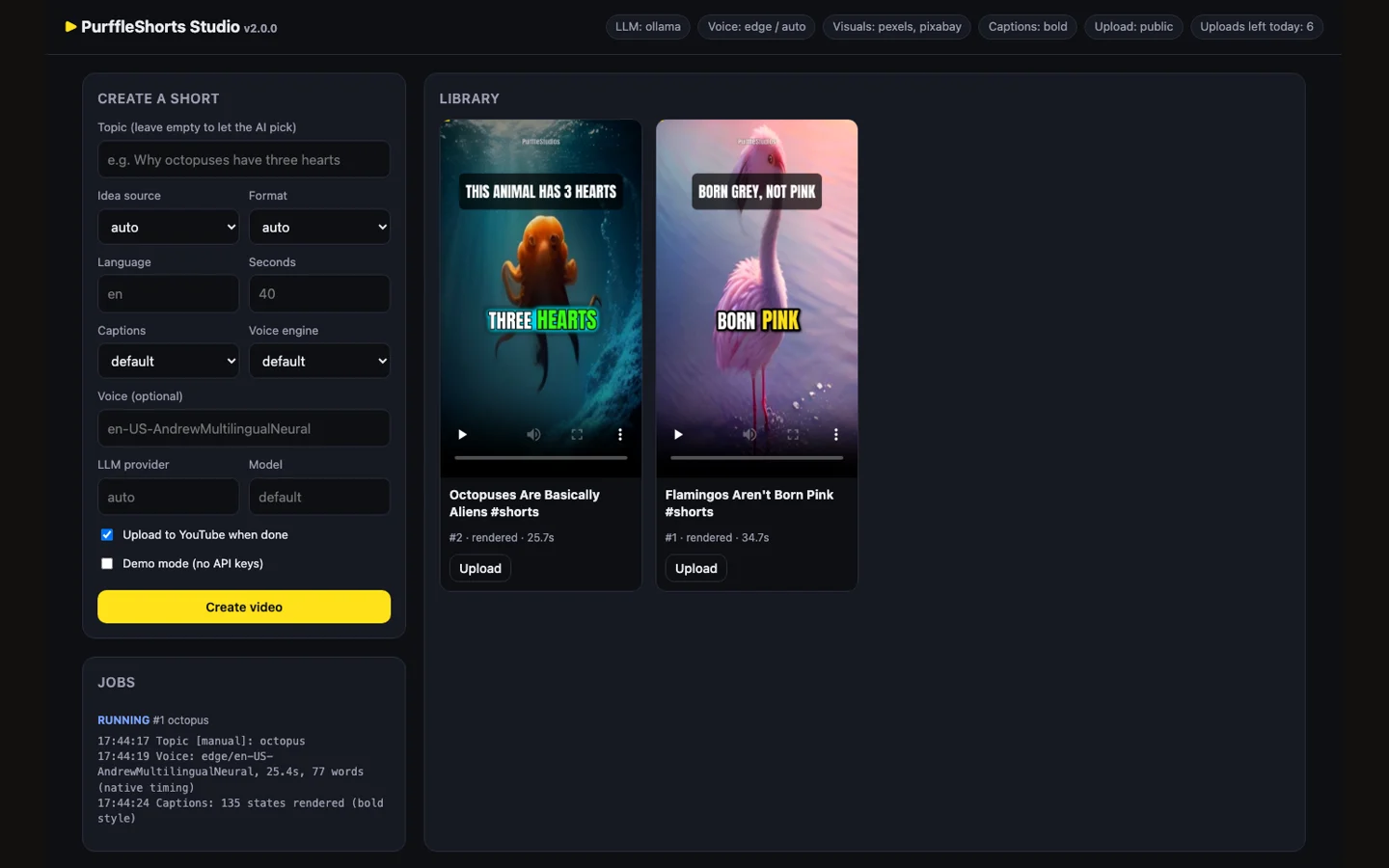
python -m purffle_shorts runPrefer a form to a terminal? python -m purffle_shorts studio opens a local dashboard at
127.0.0.1:8765 where you can create Shorts, watch the log and upload with one click.
Topics can come from your own niche, Google Trends, Wikipedia's "On this day", Reddit TIL or a list you write:
python -m purffle_shorts run --source niche --niche "space" --style factsFormats: facts, story, listicle, myth, quiz,
explainer, motivational and news. Voices come in 75 languages; set
LANGUAGE=hi, ta, es and so on, and the script, voice and caption font switch
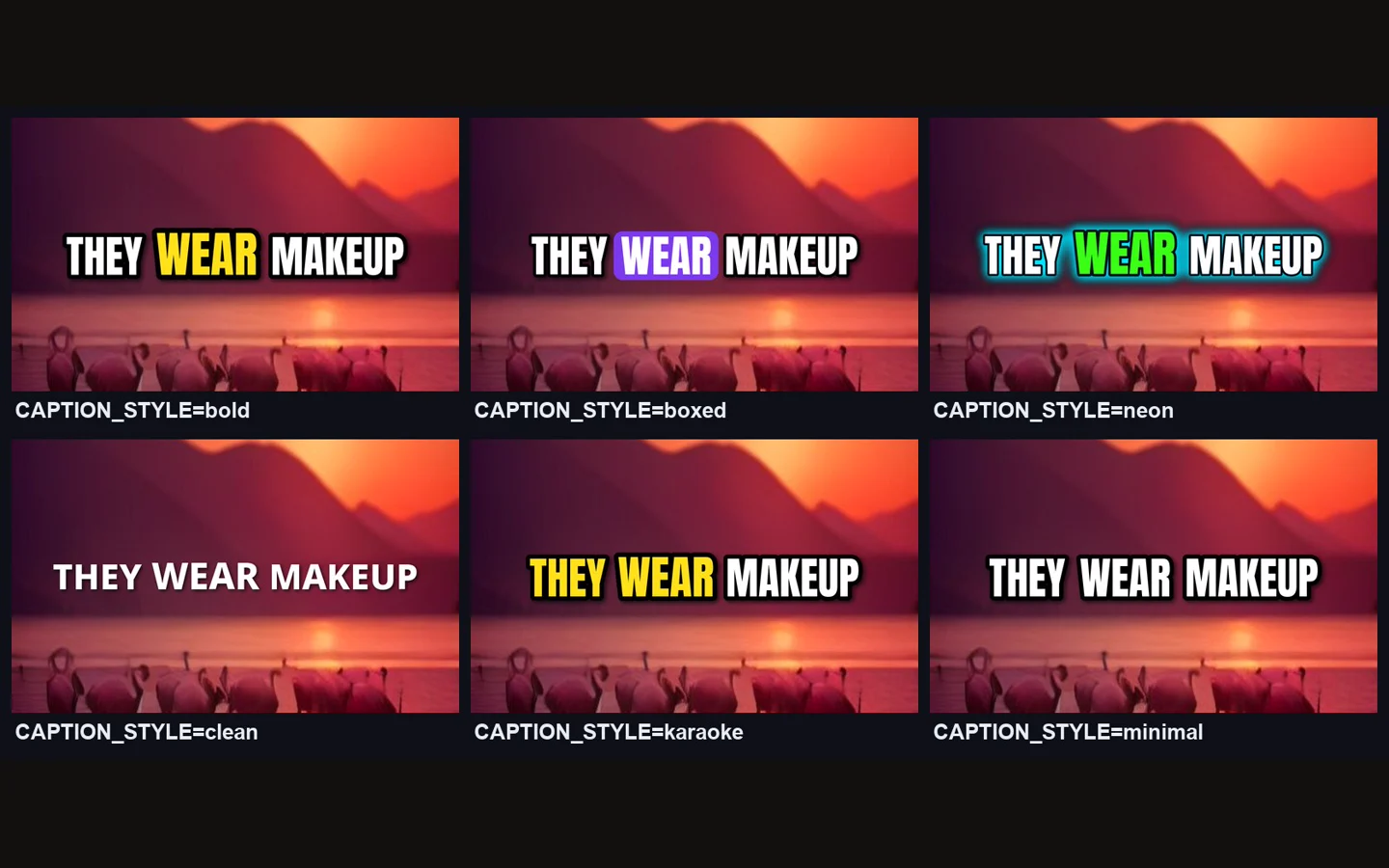
together. Captions come in six styles — bold, boxed, neon, clean, karaoke and minimal.
Automation makes volume easy; it does not make videos worth watching. Three habits help:
script.json. Fix it and re-render with
make --script path/to/script.json — no new AI call needed.YouTube allows AI-assisted content but requires disclosure of realistic synthetic media and penalises low-effort,
mass-produced videos. PurffleShorts sets the altered or synthetic content flag for you
(SYNTHETIC_MEDIA=true); what you publish, and whether it follows the platform's rules, is up to you.